

The official stock firmware for Alldocube iPlay 60 mini Turbo U812 is a reliable solution for restoring your phone to its factory condition. Whether your device is stuck in a boot loop, facing software bugs, Factory Data Reset lock, or slow performance, flashing the official firmware can fix these issues. This ROM is provided directly by the device manufacturer, ensuring maximum compatibility, stability, and security.
Important Notes:
- Backup all your data from the Alldocube iPlay 60 mini Turbo U812 before flashing.
- Incorrect flashing can brick your device — proceed carefully.
- Ensure the firmware matches your exact Alldocube iPlay 60 mini Turbo U812 model.
- Flashing the wrong file can result in boot failure or hardware issues.
Download Firmware
- iPlay60_mini_Turbo_V1.5.0.10_250530_SMR
- QFIL/QPST Tool: Download
- QDLoader Driver: Download
- Contact Me for help with unbrick, Factory Data Reset restore, restore, region unlock & rooting
Benefits of Installing Stock ROM:
- Unbrick a dead or stuck Alldocube iPlay 60 mini Turbo U812
- Remove Factory Data Reset (Google Account) lock
- Fix boot loops or stuck-on-logo problems
- Restore stock software if rooted or modified
- Remove screen lock, lockscreen, or password
How to Flash Firmware on Alldocube iPlay 60 mini Turbo U812
- Install the Alldocube iPlay 60 mini Turbo U812 USB driver on your computer.
- Download and extract the Alldocube iPlay 60 mini Turbo U812 firmware package.
- Install the QPST or QFIL flashing utility.
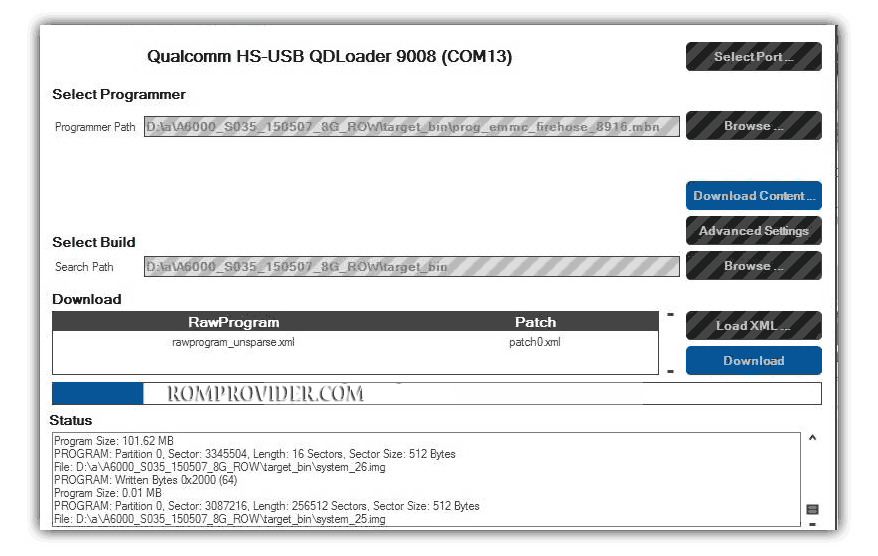
- Launch QFIL and go to “Firehose Configuration”.
- Select your Alldocube iPlay 60 mini Turbo U812’s storage type (eMMC or UFS).
- Enable “Reset After Download” option.
- Browse and select the programmer firehose file from the firmware folder.
- Load
rawprogram*.xmlandpatch*.xmlfiles. - Connect your Alldocube iPlay 60 mini Turbo U812 to the PC in EDL mode (9008).
- Click the Download button to begin flashing.
- Wait for the process to complete. The phone will reboot automatically.
How to Install Recovery ROM via ADB
adb sideload filename.zip