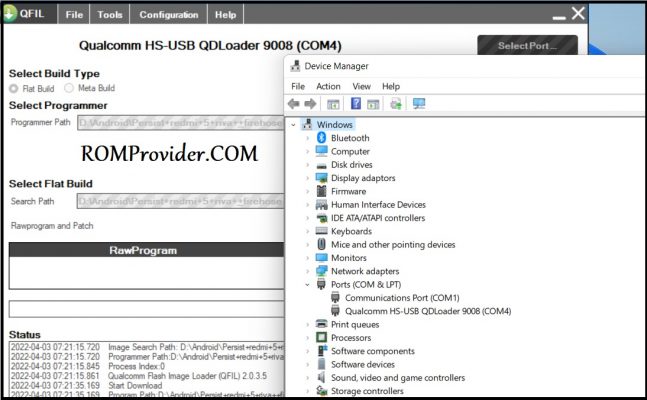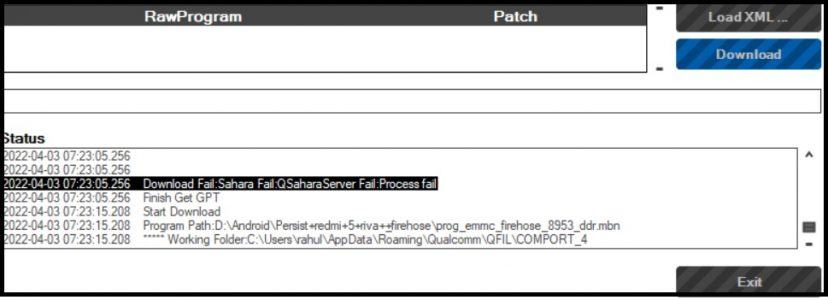
QFIL or qualcomm Flash image Loader is a window tool which allow user to flash their QCOM smartphone via EDL Mod. some times user face a ‘Download Fail: Sahara Fail:QSahara Server Fail error‘ on this tool, so here we share a working solution to fix this error.
Reason of Sahara Fail:QSahara Server Fail error:
after many attempt I have found below listed Reason’s
- EDL timeout
- QFIL Installation
- Wrong Firehose or Programmer File
Solutions:
- Install or Put QFIL under same directory where QPST Installed
C:\Program Files (x86)\Qualcomm\QPST\bin
- after putting the Phone to EDL mod, immediate click Download to avoid any timeout error
- check firehose or Programmer file, make sure you are using Programmer for same board. some vender like Xiaomi implement SLA authentication via firehose, you can fix it by patching the Programmer or firehose file.
Download started after above fixes: