
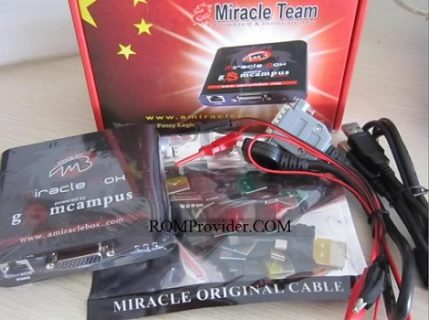
Miracle Box (widely recognized as Miracle Thunder) is one of the most successful, time-tested smartphone repair and flashing tools in the GSM industry. It provides a robust, all-in-one software workspace tailored to service legacy and modern mobile devices powered by MediaTek (MTK), Qualcomm (QCOM), and Spreadtrum/Unisoc (SPD) chipsets.
Whether you are recovering an old bricked device, fixing system software bugs, wiping stubborn screen locks, or executing a factory firmware upgrade, Miracle Box remains a trusted, standard utility on a phone technician’s desk.
📥 Direct Download Section (Latest Free Edition)
Download the fully activated free version setup package without requiring a physical box or hardware dongle connection.
| Software Build Name | Edition Type | Direct Download Link |
| Miracle Box v2.89 Full Pack | Miracle Thunder Cracked Edition | 📂 Download Miracle Box v2.89 Now |
-
File Name: XTM_mIRAcle_tHUNDER_v2.89.zip
-
Execution Style: Desktop Application Installer
-
License Profile: Free / Fully Activated Wrapper
-
Compatible OS: Windows 7, 8, 10, 11 (32-bit & 64-bit)
Key Features of Miracle Box Universal Suite
-
Universal Multi-Module Workspace: Seamlessly switch between dedicated brand control panes covering massive processor hubs like Qualcomm, MediaTek, and Spreadtrum.
-
Streamlined Firmware Flashing: Read, write, or upgrade device operating systems smoothly to resolve bootloops, deep system crashes, and software hangs.
-
Security & Lock Wiping: Easily remove user pattern locks, numeric PIN codes, and bypass carrier network restrictions on supported old configurations.
-
IMEI Diagnostics & Repair: Provides native engineering port communication rules to rewrite or restore corrupted International Mobile Equipment Identity (IMEI) data blocks.
-
Bootloader & Boot Loop Fixes: Effortlessly perform boot sector diagnostics and repairs on devices that show a black screen or refuse to respond to standard key triggers.
How to Install and Run Miracle Box (No Box Needed)
Since this is the fully standalone edition, follow these specific application instructions to bypass hardware dongle checking:
-
Download the Miracle Box v2.89 full installer archive from our download block above.
-
Extract the compressed ZIP archive using WinRAR or 7-Zip.
-
Open the folder, right-click the setup executable, and select Run as Administrator to complete the standard installation wizard.
-
Head to your computer desktop, locate the installed shortcut shortcut titled
XTM_mIRAcle_tHUNDER V2.89.exe, and run it as an Administrator. -
When the user workspace prompts you on startup, input any temporary Username string inside the registration field.
-
Click the integrated START button. The main software dashboard will cleanly initialize, giving you full access to all servicing modules without requiring any subscription logins!
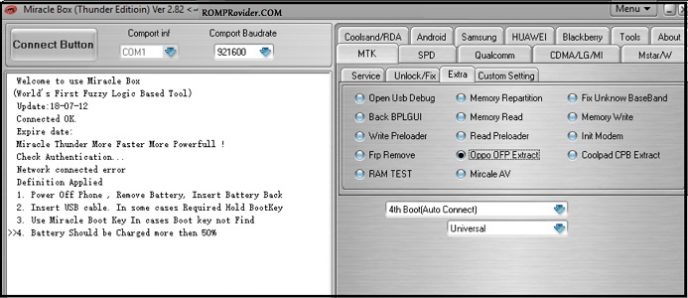
Quick Operational Steps
1. Servicing Qualcomm/MediaTek Devices
-
Launch the utility and click on your target chipset tab category at the top menu pane (e.g., MTK or Qualcomm).
-
Choose your desired action script (such as Read Info, Write Flash, or Clear Addr / FRP Reset).
-
Switch off your smartphone completely. Hold down both the Volume Up + Volume Down buttons simultaneously, and connect it to your computer via USB. The tool will auto-detect the interface port and execute your action loop.
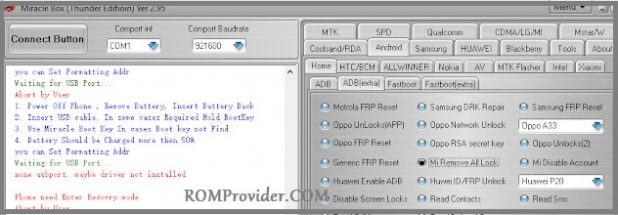
Related Premium Tool Setup Repositories
Looking to round out your mobile repair toolbox with alternative professional environments? Check out these highly recommended setups: