
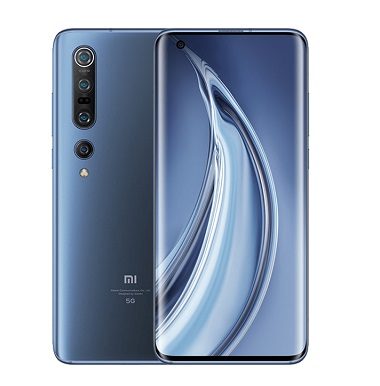
How to Reboot Xiaomi Mi 10 Pro to Recovery, Fastboot & EDL Mod:
Step by Step Guide to Boot Xiaomi Mi 10 Pro to Recovery,fastboot & EDL Mod, if You own a Xiaomi Mi 10 Pro Smartphone and Want to boot it in Different device Mod then You Can do it by Following the below Instructions.
Xiaomi Mi 10 Pro Run on Android 10 & it is Powered by QCOM Snapdragon 865 Processor. it is a Dual SIM (GSM) Smartphone that Support Nano-SIM Cards. Connectivity options include, Bluetooth,, USB OTG, FM, 3G 4G & 5G. The device Come with 8GB of RAM and 256GB of Storage can be expandable via SD card.
Reboot Xiaomi Mi 10 Pro to Recovery Mod:
Steps:
- Switch Off Phone.
- Once off together Press the Power and volume up button.
- once the Device Logo appear Release the Button.
- After This Simply Wait for the time till Your device boots into the Recovery Mode.
Reboot to Recovery using adb.
- Enable Usb debugging
- Connect Phone to PC with usb
- open CMD on Platform tool Folder
- type this code and hit enter:
adb reboot recovery
How to Reboot Xiaomi Mi 10 Pro to Fastboot Mod:
Steps:
- Switch Off Phone.
- Once off, together Press the Power and Volume down button.
- This Will turn the Device on and You need to hold both the buttons till the Device logo Disappears.
- After this, Simply Wait for the time till your device boots into the Fastboot Mode.
Reboot to bootloader using adb.
- Enable usb debugging
- Connect Phone to PC with usb
- open cmd on adb folder
- type This code and hit enter:
adb reboot bootloader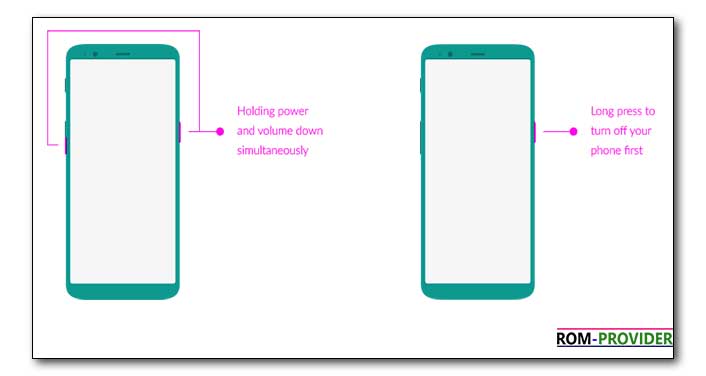
How to Boot Xiaomi Mi 10 Pro to EDL 9008 Mod:
Method 1:
- Enable usb Debugging
- Connect Phone to PC
- Send The command Via adb
adb reboot edl
Method 2:
- Install QD Loader Driver on PC
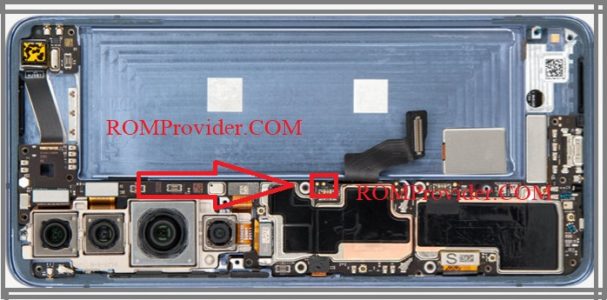
- Remove back Cover of Phone
- Find out The Pinout as Show In Image
- Connect Phone to PC with usb Cable
- take a Coper Wire and Short that Pinout
Method 3:
- Download Fastboot to EDL tools
- Reboot Phone to Fastboot Mod and Connect to PC
- Now Run reboot.bat hit Enter. Done Phone booted in EDL Mod
- You Can use Miracle 2.82 Patched Here for Free, Install Run Qualcomm/fastboot to EDL