
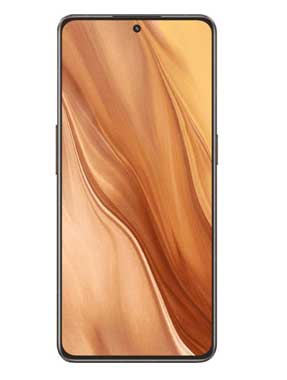
Realme GT 2 Master Explorer Edition RMX3551 Flash File Firmware Free Download:
official Stock Firmware Now available for the Realme GT 2 Master Explorer Edition RMX3551 & You can download it from below. by using this firmware you can solve all software Issues with in your Realme GT 2 Master Explorer Edition RMX3551 such as hang on Logo, Factory Data Reset lock, fastboot Mode, display Blank or White after Flash, dead recovery, dead after flash etc.
Note:
- flash carefully, we are Not responsible for any damage to Your device
- it will erase all your personal data Including Internal storage. so we advice you to first make a complete backup of your Phone
Firmware Information: |
|
|---|---|
| Device Name: | Realme GT 2 Master Explorer Edition RMX3551 |
| ROM Type: | Full ROM |
| SoC: | QCOM 8 Gen1 |
| OS: | Android 12 |
| Password: | Null |
| Gapps: | Included |
| Root Access: | No |
| Region: | china |
| Firmware Version: | RMX3551domestic_11_A.14 |
Downloads Links:
ofp firmware:
- RMX3551domestic_11_13.1.0.104CN01_2023083022410113
- RMX3551domestic_11_C.15_2023052220280128 China: Download
- RMX3551domestic_11_C.07_2023010622270142 China: Download
- RMX3551domestic_11_A.12_2022071913450131 China: Download
- RMX3551domestic_11_A.14_2022080116430129 China: Download
- RMX3551domestic_11_A.20_2022092021180151 China: Download
Flash tools:
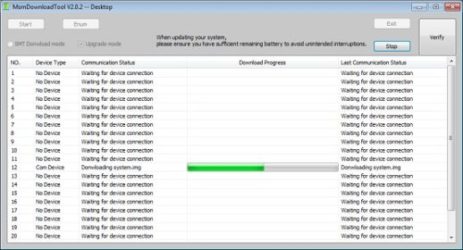
- MSM Download tool: Download
- Contact Me for MSM Auth, unbrick, Repair, Region change & Root
usb Driver:
- QCOM 9008 EDL driver: Download
How to Install Stock Firmware on Realme GT 2 Master Explorer Edition RMX3551:
- Extract ROM File & tool in same folder
- Install QCOM 9008 usb driver on your computer
- connect Phone to computer followed by this Pattern > Volume up + volume down + USB cable, if no device then you have to do test point..
- run MSM Download tool
- Login with Oppo ID
- locate firmware ofp file click start . wait until success, once done. unplug device and switch it ON.
have any question Let Me know Via comment.