

Download official stock firmware for the Realme 13 Pro RMX3990. If you own a Realme 13 Pro RMX3990 smartphone and want to download the stock ROM/flash file for it, then you are in the right place. follow the guide below to proceed.
The Realme 13 Pro RMX3990 runs on Android 14 operating system, powered by a Qualcomm 7s Gen2 processor. connectivity options include GPS, WIFI, Bluetooth etc. Sensors include gyroscope, proximity, gravity, etc. The device come with 12GB of RAM and 256GB of Storage.
Downloads Links:
EDL Files:
- RMX3990export_11_14.1.0.407EX01_2024082216560000
- RMX3990export_11_14.1.0.406EX01_2024080908440000
- RMX3990export_11_14.1.0.405EX01_2024080302290000
Full OTA’s:
Flash tools:
- Oplus Download tool: Download
- Contact Me for oplus tool login, unbrick, Factory Data Reset, reset, region change & root >>
usb driver:
- oplus driver: Download
How to Install Stock Firmware on Realme 13 Pro RMX3990:
- Download & Extract ROM
- Install oplus usb driver on your pc
- Download & Extract Oplus Download tool
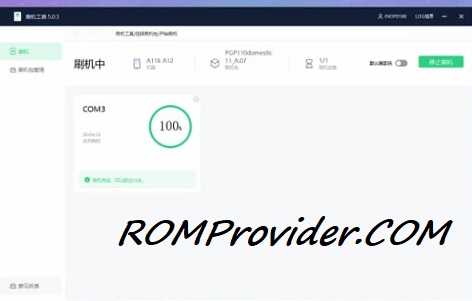
- Run Oplus Download tool
- Login With OnePlus Service Center Id
- Click Import, browse and select the Firmware folder
- Click ‘Start’ button
- Hold Volume up down and Plug your device to pc using usb cable
- Wait until success./
How to Install recovery ROM:
you can sideload Via stock recovery or local update
-
adb sideload 'filename'
Related:
- How to Find Project ID & PCB Number on Oppo Realme Devices
- How to Disable /restore DAA and SLA Authentication on Oppo devices