
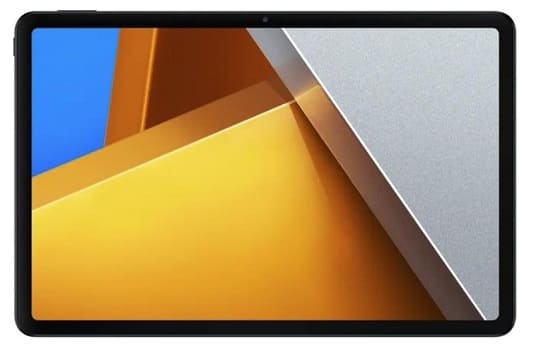
Download Stock Firmware For POCO Pad 5G:
Download official Stock firmware for the POCO Pad 5G for free. If you own a POCO Pad 5G smartphone and want to download the stock ROM for it, then you are in the right place. here we share EDL & full OTA (payload.bin) firmware for your device. follow the guide below to proceed.
The POCO Pad 5G runs on Android 14 operating system, powered by a Qualcomm 7s gen 2 processor. Connectivity options include 5G, GPS, Wi-Fi, Bluetooth, etc. Sensors include gyroscope, proximity, gravity, etc.
| Firmware Information: | |
|---|---|
| Device Name | POCO Pad 5G |
| ROM Type | Full ROM |
| SoC | Qualcomm 7s Gen2 |
| OS | Android 14 |
Downloads Links:
Available Firmware:
- OS1.0.1.0.UFSINXM IN EDL
Flash Tools:
- Xiaomi MI Flash tool: Download
- Contact Me for Mi Flash tool Auth, unbrick, Factory Data Reset, Reset, Region Change & root >>
usb Driver:
- Xiaomi usb driver: Download
Note:
- make a backup before Process
- it will erase all your data Including Internal Storage
Advantage of Stock Firmware
- fix bootloop issue
- unbrick xiaomi poco pad 5g
- upgrade poco pad 5g
- poco pad 5g downgrade
- remove Factory Data Reset lock on poco pad 5g
How to Flash Poco Pad 5G using MI Flash Tool:
- Install Xiaomi driver on your computer
- Download Extract & Install MI Flash
- Run MI Flash
- Go to setting and set device platform
- Click ‘Select” & Select Extracted Fastboot ROM folder
- Plug the phone to computer in EDL Mod (Volume up down + usb, if not work then you have to do test Point)
- Click ‘REFRESH‘ to detect usb Port
- Click ‘FLASH’
- a login popup will open, login with your Mi service center ID
- Wait until success. once done, disconnect device & switch it ON

Related:
- QCOM dual Device Network ID (Baseband) Writer (Repair Device Network ID (Baseband) Number)