

Download latest official stock firmware for the OnePlus 13 PJZ110, This file based on Latest ColorOS & can be used for unbrick, Factory Data Reset verification restore, boot repair, pattern lock remove, password remove and software fix.
The OnePlus 13 PJZ110 runs on Android 14 operating system, powered by a Qualcomm 8 elite processor. connectivity options include GPS, WIFI, Bluetooth etc. Sensors include gyroscope, proximity, gravity, etc. The device come with 12GB of RAM and 256GB of Storage.
Downloads Links:
EDL Files:
Full OTA’s:
Flash tools:
- Oplus Download tool: Download
- Contact Me for oplus tool login, unbrick, Factory Data Reset, reset, region change & root >>
usb driver:
- oplus driver: Download
How to Install Stock Firmware on OnePlus 13 PJZ110:
- Download & Extract ROM
- Install oplus usb driver on your pc
- Download & Extract Oplus Download tool
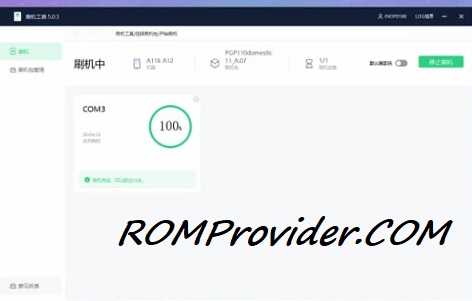
- Run Oplus Download tool
- Login With OnePlus Service Center Id
- Click Import, browse and select the Firmware folder
- Click ‘Start’ button
- Hold Volume up down and Plug your device to pc using usb cable
- Wait until success./
How to Install recovery ROM:
you can sideload Via stock recovery or local update
-
adb sideload 'filename'
Related:
- How to Find Project ID & PCB Number on Oppo Realme Devices
- How to Disable /restore DAA and SLA Authentication on Oppo devices