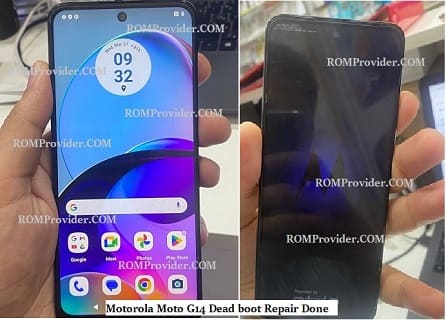
will walk you through the steps to unbrick your Motorola Moto G14 and bring it back to life in this guide. Motorola Moto G14 smartphone Run on Android 13 & it is Powered by unisoc tiger t616 Processor. the device come with 4GB of RAM and 128GB of Storage. it is a dual SIM smartphone support nano sim cards. Connectivity Option’s Include GPS, Wi-Fi, hotspot, bluetooth & 4G.
unbrick is a process to repair a device that was bricked, with in Motorola Moto G14 user face two type of brick- soft brick and hard brick.
Soft brick: in this stage device stuck or freez on boot logo or animation due to any software/ firmware issue.
hard brick: in this stage device completely goes dead and does not show any sign of boot for example logo or animation, even fastboot or recovery mod. it show only 9008 USB COM driver /device when we connect it to computer.
Requirement’s
- SPD tools R27: Download
- SPD Driver R4.20.0201: Download
- Motorola Moto G14 unbrick firmware file
- Contact Me for unbrick, Factory Data Reset, Reset, Region Change & root >>
Steps to unbrick Motorola Moto G14
Note: 100% tested with pandora and AMT below method is optional
- Download and Install SPD Driver on your computer
- Download and Extract Firmware File and Flash tools
- Run SPD Flash tool
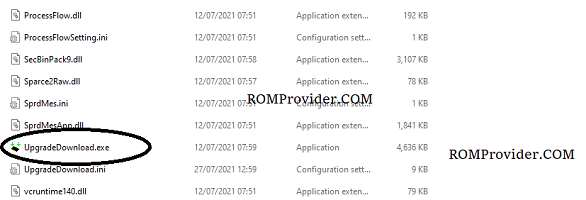
- Click load Package & Select Pac file from the downloaded ROM folder
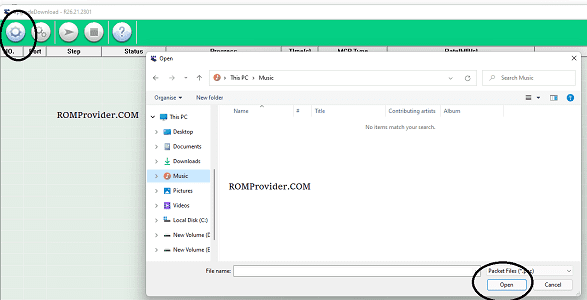
- Click Download/Start Arrow
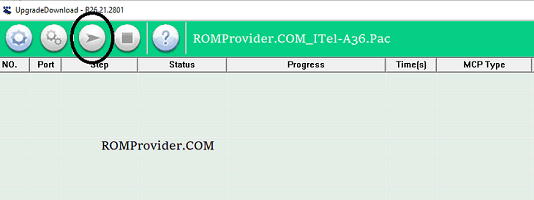
- Connect Your switched off Phone by pressing volume up & down key
- Wait until success
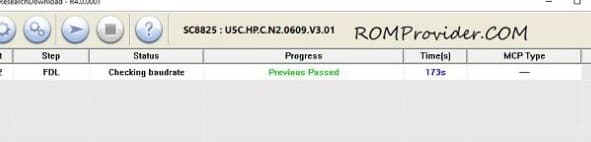
- once done, disconnect device & switch it ON