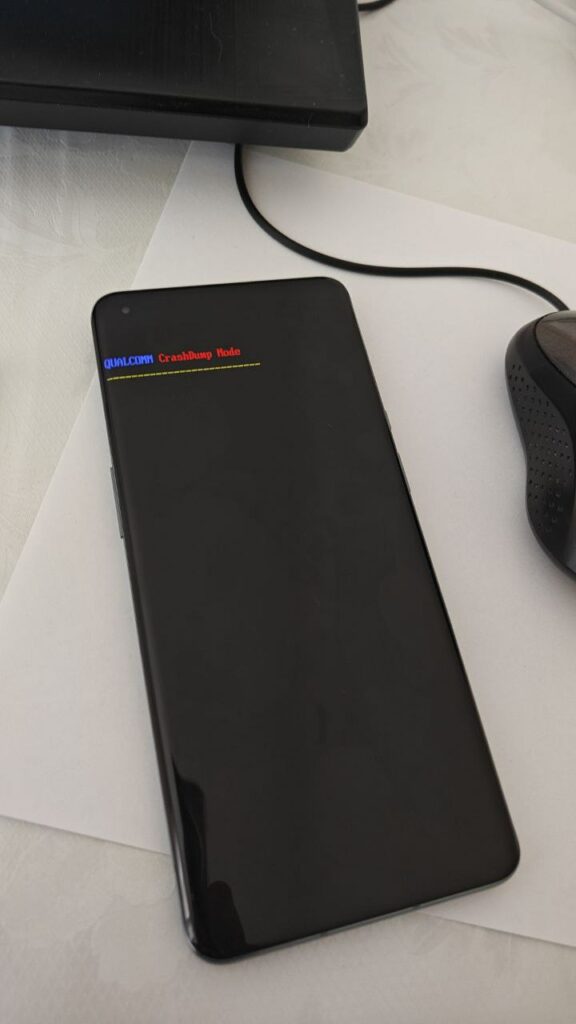
Qualcomm Crashdump mod on OnePlus 9 Pro indicate a software issue. if you are facing this issue on your device then you can fix it by following below Instructions.
Solution:
- reflash stock ROM using fastboot command
fastboot –set-active=a
fastboot erase userdata
fastboot flash recovery recovery.img
fastboot flash boot boot.img
fastboot flash dtbo dtbo.img
fastboot flash super super.img
fastboot flash vbmeta vbmeta.img

fastboot reboot bootloader

fastboot –set-active=b
fastboot erase userdata
fastboot flash recovery recovery.img
fastboot flash boot boot.img
fastboot flash dtbo dtbo.img
fastboot flash super super.img
fastboot flash vbmeta vbmeta.img
fastboot –set-active=a
fastboot reboot
or you can use single code for both A and B slot like this
fastboot flash partition-name_ab 'filename'
100% Working Solution:
- You have to contact us to fix crash dump Mod on your device, it’s a paid service.
tested and Working devices
- LE2120
- LE2121
- LE2123
- LE2125
- LE2127
Proof