

Stock ROM or Firmware refers to the version of the operating system that comes pre-installed on a device by the manufacturer. It is an unmodified version of the firmware that is distributed with a device and can be used to restore it to its original state.
Xiaomi 12 Pro Stock Firmware is useful for fixing issues such as hang on Logo, Factory Data Reset lock, fastboot Mode, display Blank or white after flash, dead recovery, dead after flash etc. for restoring a device to its original configuration. Stock ROMs are often specific to a particular device and are not interchangeable between different devices.
Note:
- make a backup before Process
- it will erase all your data Including Internal Storage
Must Require:
Firmware Information: |
|
|---|---|
| Device Name | Xiaomi 12 Pro |
| ROM Type | Full ROM |
| SoC | Qualcomm 8 Gen1 |
| OS | Android 12xx |
| Password | Null |
| Root Access | No |
| Region | Check below list |
| Firmware Version | Check below list |
Downloads Links:
EDL/Fastboot Firmware:
- V14.0.1.0.TLBTWXM | 13.0 TW: Download
- V14.0.2.0.TLBINXM | 13.0 INDIA: Download
- V13.0.7.0.SLBMIXM | 12.0 Global : Download
- V14.0.5.0.TLBTRXM | 13.0 turkey
- V14.0.5.0.TLBRUXM | 13.0 Russia
China:
EEA:
INDONESIA:
Flash Tools:
- MI Flash: Download
- Contact Me for Mi Flash tool Login Password, Auth, Region Change, unbrick, Factory Data Reset, Mi account remove >>
usb Driver:
- QD Loader Driver: Download
How to Flash Xiaomi 12 Pro Via MI Flash:
- Download and Install Qualcomm driver on your computer
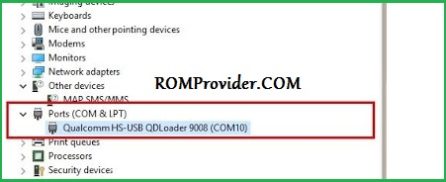
- Download Extract & Install MI Flash on your computer
- Now Run MI Flash
- Select Extracted Fastboot ROM folder
- Reboot Phone to Bootloader (or EDL Mod) and connect it to computer
- Click ‘Refresh‘ button
- once you see a device in MI Flash, Click Start
- Wait until success. once done, disconnect device & switch it ON

Read also:
- QCOM Dual Device Network ID (Baseband) Writer (Repair Device Network ID (Baseband) Number)