
Download Stock Firmware/ Flash File for Redmi Note 9 Pro 5G:
official Stock Firmware/ Flash File Now available for Redmi Note 9 Pro 5G and You can download it from below. by using this firmware you can solve all software Issues with in your Redmi Note 9 Pro 5G such as hang on Logo, Factory Data Reset lock, fastboot Mode, display blank or white after flash, dead recovery, dead after flash etc.
Note:
- make a backup before Process
- it will erase all your data Including Internal Storage
Firmware Information: |
|
|---|---|
| Device Name | Redmi Note 9 Pro 5G |
| ROM Type | Full ROM |
| SoC | QCOM 8+ Gen1 |
| OS | Android 12 |
| Password | Null |
| Root Access | No |
| Region | check below list |
| Firmware Version | V13.0.4.0.SLFCNXM |
Downloads Links:
- V13.0.4.0.SJSMIXM | 12.0 GLO: Download
- V13.0.8.0.SJSEUXM | 12.0 EEA: Download
- V13.0.6.0.SJSINXM | 12.0 IND: Download
- V13.0.2.0.SJSTRXM | 12.0 Turkey: Download
- V13.0.2.0.SJSTWXM | 12.0 Taiwan: Download
Flash Tools:
- MI Flash tool: Download
- Note: SLA Enabled device= a authorized account is require to complete SLA challenge, otherwise you have to search for a patched firehose to restore SLA there are some option available in ROM2box to test a custom firehose using qcom tab
- contact me Here for Mi Flash Auth, unbrick, Region Change & root >>
usb Driver:
- qcom driver: Download
How to Flash Redmi Note 9 Pro 5G Via MI Flash:
- Download and Install qcom driver on your computer
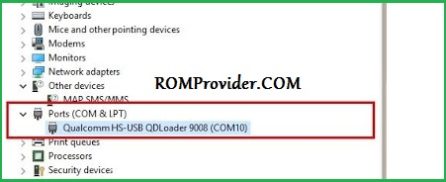
- Download Extract & Install MI Flash
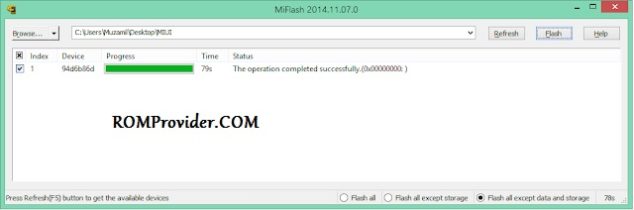
- Run MI Flash click refresh
- Select Extracted Fastboot ROM folder
- Reboot Phone to bootloader (or EDL Mod) and connect it to computer
- Click ‘FLASH’ and wait until success. once done, disconnect device & switch it ON
test Point Pinout for EDL Mod:
coming soon….
Read also:
- QCOM dual Device Network ID (Baseband) Writer (Repair Device Network ID (Baseband) Number)