
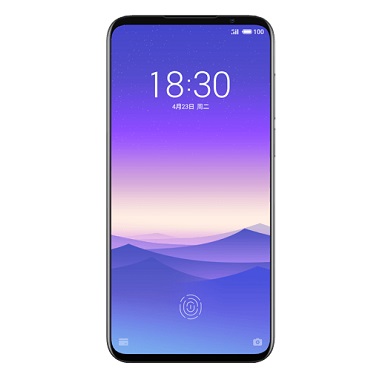
unlock bootloader on Meizu 16s:
Step by Step Guide to unlock bootloader on Meizu 16s user Who are Looking for the way to unlock the bootloader on Meizu 16s Can unlock it by Following the below Instructions.
Meizu 16s Run on Android 9.0 OS and Powered by QCOM SD 855 Processor. The Device Come with 6GB of RAM and 128GB of Storage Can be Expandable via SD card. it is a Dual SIM Smartphone Support Nano SIM card.
Note:
- unlocking the bootloader Will void Your Device Warranty/.
- Your Phone Will be Erased during the unlocking So Make a backup before Process.
Steps to unlock Bootloader on Meizu 16s:
- on Phone Enable Root access.
- On Phone Enable developer options. (Press Build Number 7 times)
- Enable usb Debugging and Oem unlock From Developers Options
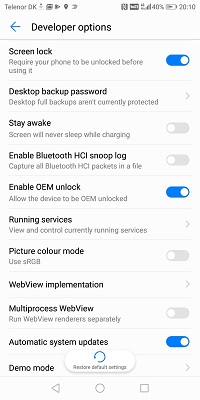
- Download & Install adb fastboot Driver
- Download & Setup Platform tools From Here
- Now we need unlocked Factory Data Reset So Let’s Start unlocking
- open the CMD on the Platform tool Folder & Connect it to PC
- Now Get Chines Device ID From Here (Skip & try if not Work then Replace ID)
- Now Send Below code to Make a dump of Factory Data Reset.bin
adb shell
su
dd if = / dev / block / bootdevice / by-name / Factory Data Reset of = / sdcard / Factory Data Reset.bin
- a backup of Factory Data Reset.bin is Stored in SD card. GO to This Site and upload it
- then Download modded Version and move it device Storage
- Now Restore it by Sending the below code
dd if = / sdcard / Factory Data Reset.bin of = / dev / block / bootdevice / by-name / Factory Data Reset
- Reboot Phone to bootloader Connect to PC with usb
- Go to Platform tools Folder and on top address bar type cmd and hit enter
- on Command Window type below code to unlock bootloader
fastboot flashing unlock
- on Phone Confirm unlocking by Pressing Volume up Button
- Done. Your Phone Start itself With factory Reset.
have any question Related to this topic Let Me know via Comment.…