
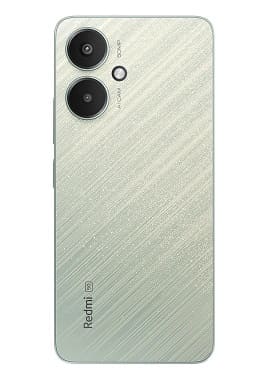
On this page, you will find the official download links for the Redmi 14C 5G firmware (Stock ROM). The download file comes in a zip format, which you need to extract before flashing it using the appropriate tools.
The Redmi 14C 5G runs on Android 14 operating system, powered by a Qualcomm 4s gen2 processor. connectivity options include GPS, Wi-Fi, Bluetooth etc. sensors include gyroscope proximity & gravity etc. The device come with 6GB of RAM and 128GB of Storage.
Downloads Links:
Available Firmware:
Flash Tool & usb driver:
- Xiaomi usb driver: Download
- Xiaomi MI Flash tool: Download
- Contact Me for Mi Flash tool Auth, unbrick, Factory Data Reset, Reset, Region Change & root >>
How to Install Stock Firmware on Redmi 14C 5G (Flame):
- Install Xiaomi driver on your pc
- Run mi flash tool
- select device platform
- browse and select the firmware
- Click ‘Start’ button
- plug the device in edl mod
- a popup may appear, Login with service Id
- Wait until success./ once done, the device start itself

How to Install recovery ROM:
adb sideload 'filename'
Related:
- Download Maui Meta all Version for Windows
- (Solved) MI Flash unlock ‘Couldn’t unlock can’t get info, Connect again’