
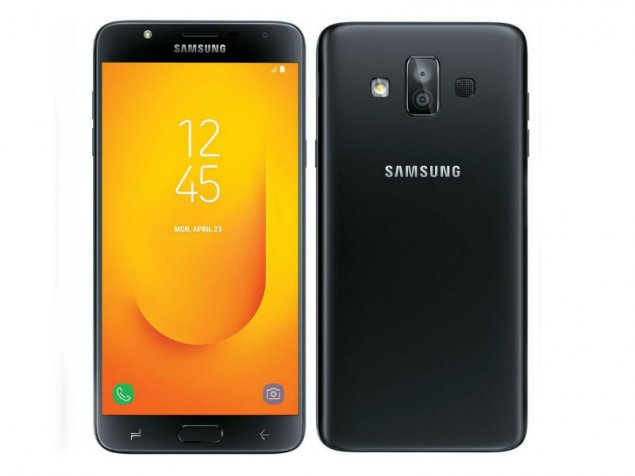
Download Stock Firmware/Flash File Galaxy J7 Duo / SM-J720M:
Download Official Stock Firmware Flash File For Samsung Galaxy J7 Duo / SM-J720M. If you have Samsung Galaxy J7 Duo / SM-J720M Smartphone and You want to download the Stock ROM /Flash File/For it then You are on a Correct Place, You have to do this by following the Below Guide.
In Some cases We have bricked our device, then we can bring back the phone (Unbrick) using the stock firmware anytime. Also if you feel your Samsung Galaxy A6J7 Duo / SM-J720M lag or has an issue, then flash the Stock firmware from the list below and save from situation. Stock Firmware doesn’t void a warranty on your Samsung Galaxy J7 Duo / SM-J720M.
Note-
1. This Guide is work on Listed Devices only. So Please Don’t try it on any other Phone.
2. Flashing The ROM by Flash tools will Erase all Your Data. So create a backup of your Personal data before Flashing, [if possible]
3. Please Do carefully, We are Not Responsible for any damage, bootloop, or dead SD card’s.
4. Ensure that your Device at-least 50% charge During Flashing Process,to Stop the Accidentally Switch off.
5. Follow all steps correctly otherwise it cause bootloop.
6. Must backup NVRAM using this Guide before Doing anything.
Must Require:
1. backup NVRAM
2. backup Your Personal data
3. Create a nandroid backup
Firmware Information-
| Device Name | Samsung J7 Duo / SM-J720M |
| OS | android |
| SoC | Exynos |
| language | Multi Language |
| Root access | Not Rooted |
| Gapps | Included |
Download
Firmware: J7 Duo / SM-J720M
Product name: J7 Duo / SM-J720M
Type: Full ROM
ROM Size: up to 2GB
SoC: Exynos
Os: Android 8.0
Password: Null
Download: Here
Available For Listed Regions:
- India
- Brazil
- Panama
- Chile
- Tailand
- India
- itaq
- Nepal
- Turky
- iran
- combodia
- SRI Lanka
- UAE
- and More
Flash Tools:
- odin Here
Driver:
- Driver Here
How to Install Stock Firmware Flash Galaxy J7 Duo / SM-J720M:
For Flash tools follow This Guide: Here
For OTA Follow this Guide : Here
Read also: