
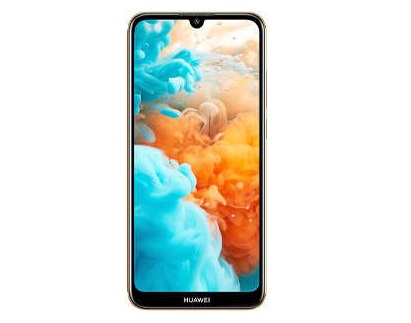
Download Huawei DUB-lX1 Firmware Flash File:
Official Stock Firmware Flash File Now available for Huawei DUB-lX1 & You can download it from below. The Firmware come in XML Format which is Flashable with all supported tool Like QFIL, MI Flash tool & Miracle box. by using this firmware you can solve all software Issues on your Huawei DUB-lX1 such as hang on Logo, Factory Data Reset lock, Fastboot Mode, display Blank or White after Flash, dead recovery, dead after flash etc.
Huawei DUB-lX1 Run on Android 8.1 & it is Powered by QCOM SD450 Processor. The device come with 3GB of RAM and 32GB of storage that can be expandable via SD card.
Why We Need Stock Firmware?
- to downgrade a Phone
- to upgrade a Phone
- Fix Some serious issue in phone
- Remove Factory Data Reset, Pattern and Pin lock
- fix bootloop and software issue on Phone
- completely Re-Installation of board software
Pre-Requirement’s
- First Make a complete backup of Your Personal data (if Possible)
- charge the device at least 50% to prevent accidental shut down during the process
Firmware Information:
Device Name:Huawei DUB-lX1
Type: Full ROM
Size: up to 1.1GB
SoC: QCOM SD450
Os: Android 8.1
Password: Null
Root access: Not
Gapps: Included
Firmware Version: N/A
Download Links:
Firmware files:
- Huawei DUB-lX1 QFIL: Download
- Note: in bootloader folder firehose and XML Files available write bootloader using QFIL, Then once you access fastboot Mod write other partition using IDT
Flash Tools:
- QFIL/QPST: Download
- Miracle Free: Download
usb Driver:
- QD Loader Driver: Here
How to Install Stock Firmware on Huawei DUB-lX1:
- Download & Extract QFIL tools.
- Download & Extract Firmware Package.
- Install QD Loader usb Driver on PC
- Connect Phone to PC & Reboot to EDL use code Via adb: adb reboot edl
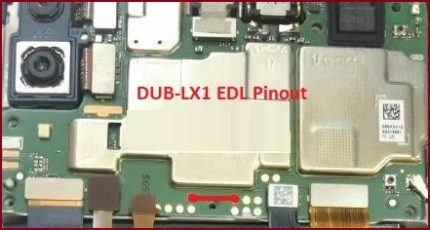
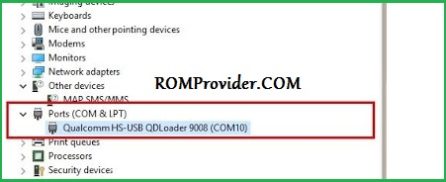
- You can see usb Driver Like below Image in Device Manager (if Not then Your Phone Not detected by computer Please do test Point= Short the test Point Pinout)
- Run QFIL and Load Programmer and XML Files From ROM Folder
- Click Download
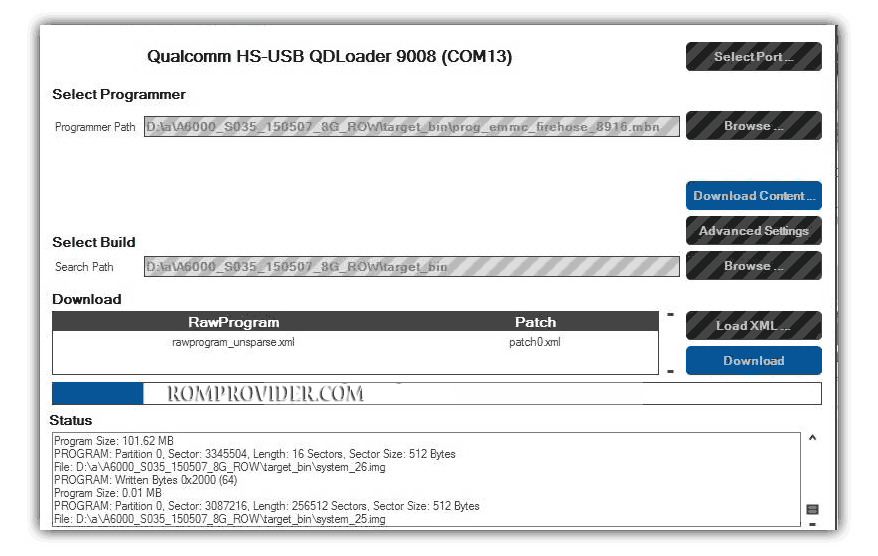
- Wait until Success. Your Phone Rebooted..
Read also: