
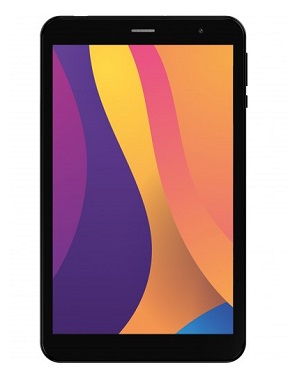
The term official firmware describes the version of the operating system that the device’s manufacture pre-installs. It is the original firmware that comes with a device and can be used to return it to its default settings.
DIGMA Optima 8403D stock firmware is useful for fixing issues such as hang on Logo, Factory Data Reset lock, fastboot Mode, display Blank or white after flash, dead recovery, dead after flash etc. Stock ROMs are often specific to a particular device and are not interchangeable between different devices.
Pre-Requirement’s
- Make a backup before process
- charge the device at least 50% to prevent accidental shut down during the process
Disclaimer:
- flash at own risk
Firmware Information: |
|
|---|---|
| Device Name: | DIGMA Optima 8403D |
| ROM Type: | Full ROM |
| SoC: | unisoc |
| OS: | Android 12xx |
| Password: | Null |
| Root Access: | No |
| Firmware Version: | check below list |
Download Links
- SPD tools R24: Download
- ROM2box Full Free: Download
- SPD Driver R4.20.0201: Download
- Contact Me for Auth, unbrick, Factory Data Reset, Reset, Region Change & root >>
Available Firmware
How to Install Stock Firmware on DIGMA Optima 8403D
- Download and Install SPD Driver on your computer
- Download and Extract Firmware File and Flash tools
- Run SPD Flash tool
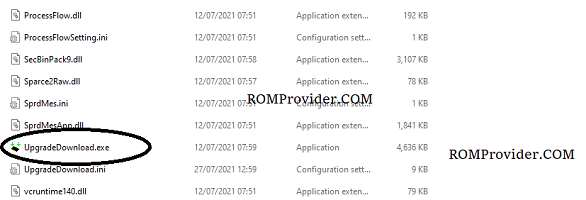
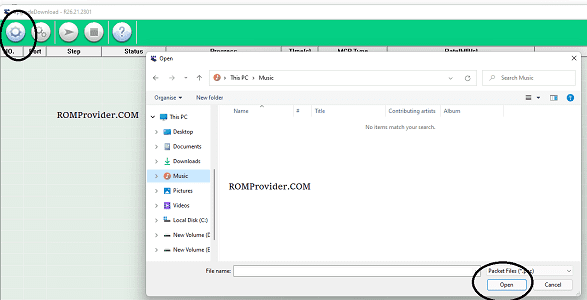
- Click load Package & Select Pac file from the downloaded ROM folder
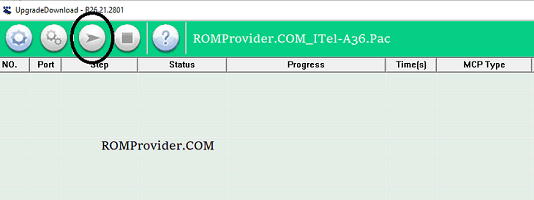
- Click Download/Start Arrow
- Connect Your switched off Phone by pressing volume up & down key
- Wait until success
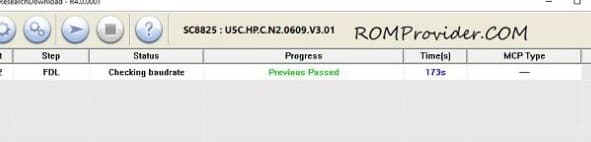
- once done, disconnect device & switch it ON
Check other articles:
- Vivo Bootloader unlocker
- Download Miracle Box 3.40 Full Free