
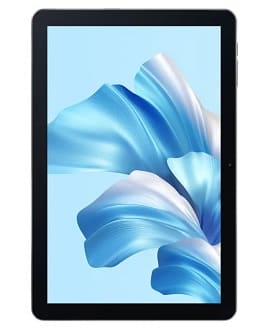
The Blackview Oscal Pad 60 official stock rom is useful to restoring your device to factory settings. If your device is experiencing boot loops, software bug, Factory Data Reset lock or performance issue, installing the official stock firmware can fix it.
This firmware is the official version provided by the device manufacturer, ensuring device security & stability. please note that official firmware are device-specific and are not interchangeable between different devices.
Note
- make a full data backup of your Blackview Oscal Pad 60.
- follow the guide correctly.
- flashing may brick your device, do at own risk
- make sure your device model matches Blackview Oscal Pad 60 before flashing the firmware.
Download Links
- Firmware Version: DK_PAD60_EEA_2.4G_RK3326_12_ID4386_20230823_V1.0
- Download Link: Click here
- Rockchip Flash tool: Download
- Rockchip usb driver: Download
- Contact Me for unbrick, Factory Data Reset, reset, region change & root
Advantage of Stock Firmware:
- unbrick your Blackview Oscal Pad 60
- restore pattern, password lock from your Blackview Oscal Pad 60
How to Install Stock Firmware on Blackview Oscal Pad 60
- Install Blackview Oscal Pad 60 usb driver on your computer
- Download your Blackview Oscal Pad 60 firmware and unzip it
- Download and open androidtool.exe from rockchip flash tool folder
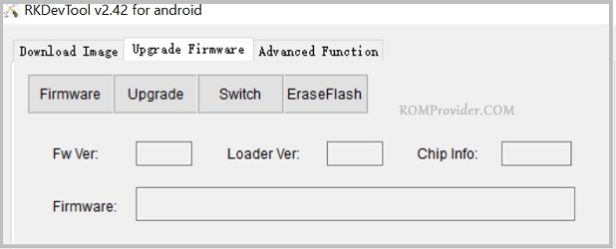
- Click ‘upgrade firmware’, from the Next tab click firmware
- From the Pop up locate the your device firmware file.
- Connect Your switched of device to PC by using the usb cable (combination= usb + press and hold the volume up key, poke the reset hole next to the volume key)
- Click run. wait until finish. once done disconnect your device and switch it ON.
How to Install recovery ROM:
adb sideload 'filename'
Related:
- Download Maui Meta all Version for Windows
- (Solved) MI Flash unlock ‘Couldn’t unlock can’t get info, Connect again’