

OnePlus 15T is a mid range smartphone. The phone itself runs fast and smooth, no doubt about that, but rooting gives you the option to go beyond what the manufacturer decided should be allowed. You can adjust things more freely, remove apps you never really use, and run tools that normally require deeper system access.
For many users, the interest in root starts out of curiosity. After unlocking that access, you can play around with tweaks, try different performance settings, or simply make the system behave more the way you prefer. Some like it for better battery control, others just want the freedom to customize without restrictions. It really depends on how you use your device day to day.
Requirements
How to Unlock Bootloader on OnePlus 15T PLZ110:
Apply for Bootloader Unlock:
- Install platform tools on your pc
- Login heytap account on device
- On the phone, enable USB debugging + OEM unlock from Developer Options
- Open deep testing app & submit unlock application
- Once approved, connect the device to the computer and in app click ‘start deep testing’
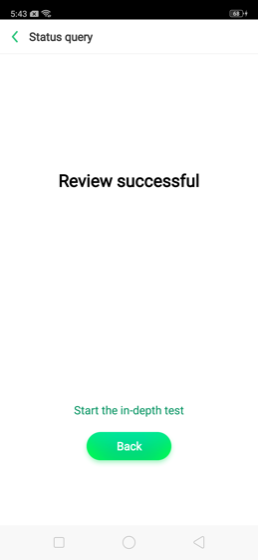
Unlock the bootloader
fastboot flashing unlock- On phone screen confirm unlock using the buttons
How to Root OnePlus 15T
- Download OnePlus 15T stock firmware (must match the installed firmware version)
- Extract init_boot.img from it
- Move init_boot.img to the phone storage
- Install the prepared root app, Magisk or Sukisu Ultra
- Click Install, browse, and select the file we moved
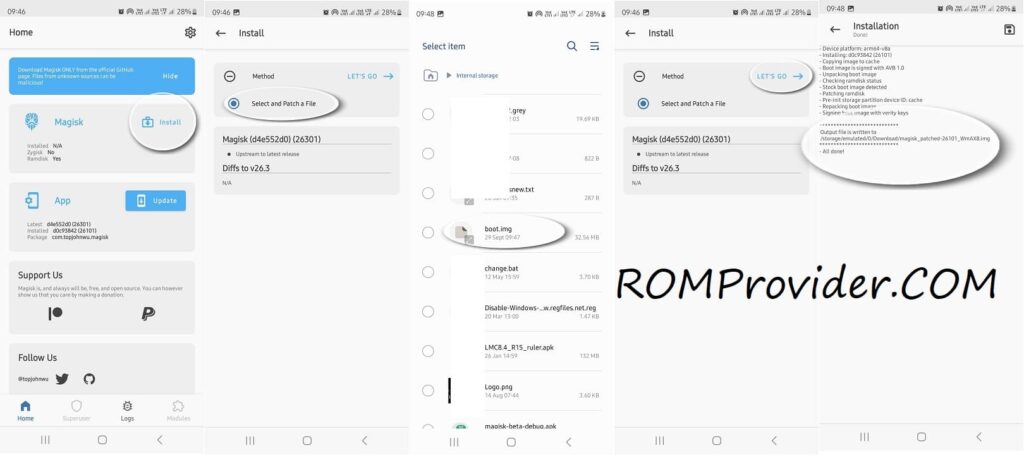
- After patching the file, move it back to the PC
- Now flash the file:
fastboot flash init_boot init_boot.img
fastboot reboot
Your device is now successfully rooted…