
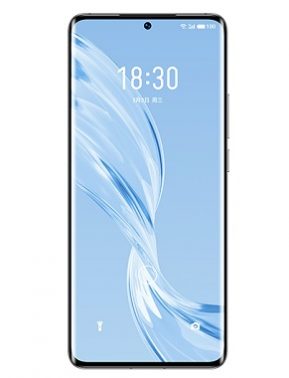
Download Stock Firmware/Flash File For Meizu 18 Pro:
Official Stock Firmware Flash File Now available for the Meizu 18 Pro & You can download it from below. by using this firmware you can solve all software Issues on your Meizu 18 Pro such as hang logo, Factory Data Reset lock, fastboot Mode, display blank or white after flash, dead recovery, dead after flash etc.
Meizu 18 Pro Run on Android 11 and it is Powered by QCOM SD888 Processor. it is a dual SIM smartphone support Nano SIM card, connectivity features Include hotspot, GPS, WIFI, bluetooth 3G 4G & 5G. The device come with 8/12GB of RAM and 128/256GB of storage that can be expandable via SD card.
Note:
- flash at own risk
Why We Need Stock Firmware?
- to downgrade a device
- to upgrade a device
- Remove Factory Data Reset, Pattern and Pin lock
- fix bootloop and software issue on a device
- completely Re-Installation of Board Software
Must Require:
Firmware Information:
Device Name: Meizu 18 Pro
Type: Full ROM
ROM Size: up to 2-4GB
SoC: QCOM SD888
Os: Android 11
Password: Null
Gapps: Included excluding CN ROM
Root access: Not
Firmware Version: Flyme 9.0.1.3A
Download Links:
QPST /EDL Firmware:
full firmware to reinstall board software (only for dead and bootloop devices)
- Flyme 9.0.1.3A CN: Download
OTA/Recovery Updates:
to upgrade a working phone (first check Installed firmware version with in your Phone)
- Flyme 9.0.1.3A CN: Download
- Flyme 9.0.1.3A GLO: Download
Flash Tools:
- QFIL/QPST: Download
- Miracle Free: Download
usb Driver:
- QD Loader Driver: Here
How to Install Stock Firmware on Meizu 18 Pro:
- Download & Extract QFIL tools.
- Download & Extract Firmware Package.
- Install QD Loader usb Driver on PC
- Connect Phone to PC & Reboot to EDL use code Via adb: adb reboot edl
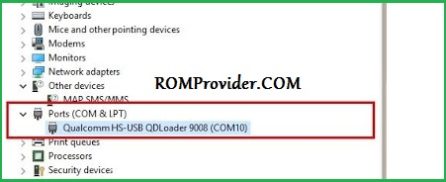
- You can see usb Driver Like below Image in Device Manager (if Not then Your Phone Not detected by computer Please do test Point= Short the test Point Pinout)
- Run QFIL and Load Programmer and XML Files From ROM Folder
- Click Download
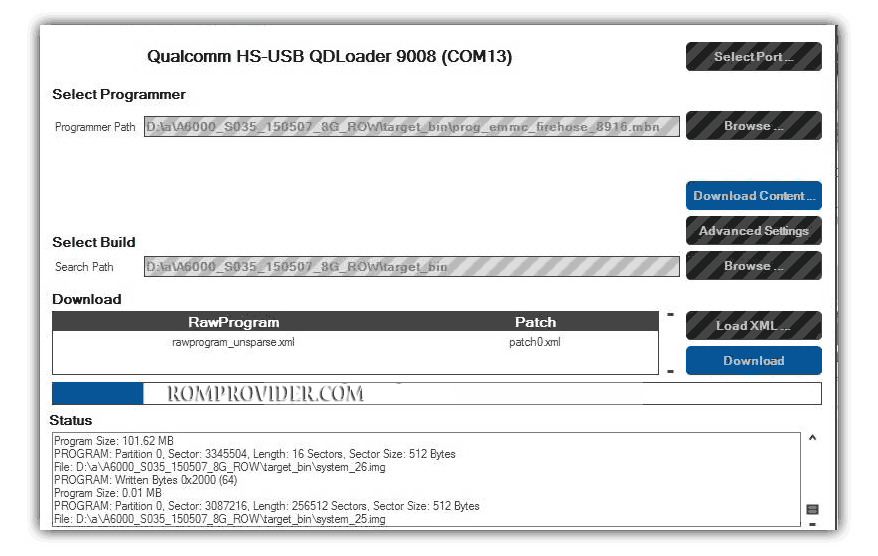
- Wait until Success. Your Phone Rebooted..
How to Install Recovery ROM/ Full OTA:
- Download latest update from above
- Move downloaded file to device storage
- Restart Phone to recovery mod by pressing volume up & down key (in switched off Mod)
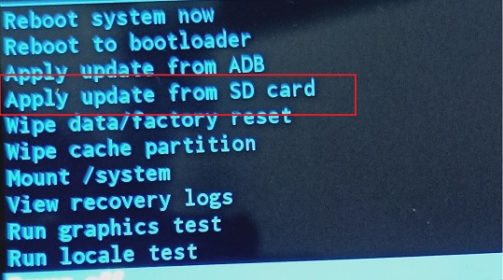
- In the Menu select ‘apply update from SD card’
- Now browse for the downloaded file and select Install, once done go back & restart device
Read also: