
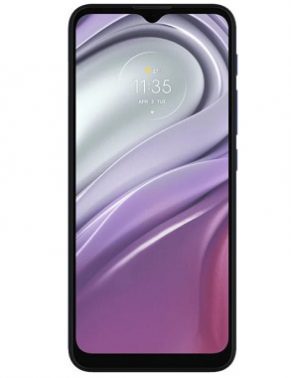
Download official Firmware/Flash File for Motorola XT2128-3:
official stock Firmware/ Flash File Now available for the Motorola XT2128-3 & You can download it from below. by using this firmware you can solve all software Issues with in your Motorola XT2128-3 such as hang on Logo, Factory Data Reset lock, fastboot Mode, display blank or white after flash, dead recovery, dead after flash etc.
Motorola XT2128-3 Run on Android 11 & it is Powered by unisoc T700 Processor. it is a dual SIM smartphone support Nano SIM card, connectivity Option’s Include GPS, Wi-Fi, hotspot, bluetooth 3G 4G & 5G. The device come with 4GB of RAM & 64/128GB of Storage that can be expandable via SD card.
Why We Need Stock Firmware?
- to downgrade a Phone
- to upgrade a Phone
- fix some serious issue in phone
- remove Factory Data Reset Pattern and Pin lock
- fix bootloop and software issue on Phone
- completely Re-Installation of board software
Pre-Requirement’s
- first make a complete backup of your Personal data (if possible)
- charge the device at least 50% to prevent accidental shut down during the process
Must Require:
Firmware Information:
Device Name: Motorola XT2128-3
Type: Full ROM
ROM Size: up to 2.45GB
SoC: unisoc tiger t700
Os: Android 11
Password: Null
Gapps: Included
Root access: Not
Firmware Version:
XT2128-3_JAVA_RETAIL_P352CE_PVT_11.0_64B_CFC_68-4-2.00-00_FLASHER_sign_20210525153101
Download Links:
- SPD tools R24: Download
- SPD Driver R4.20.0201: Download
- Firmware file for Motorola XT2128-3 RETAIL: Download
- Firmware file for Motorola XT2128-3 RETAPAC: Download
How to Install Stock Firmware on Motorola XT2128-3:
-
- Download and Install SPD Driver from above
- Download and Extract ROM File and Flash tools From above
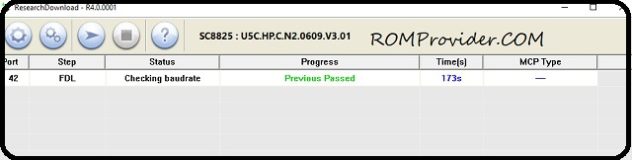
- Run Flash tools and Click Load Package.
- Now Select Pac file from the downloaded ROM folder
- Click Download and connect Your switched off Phone.
- done/
Check other articles-