
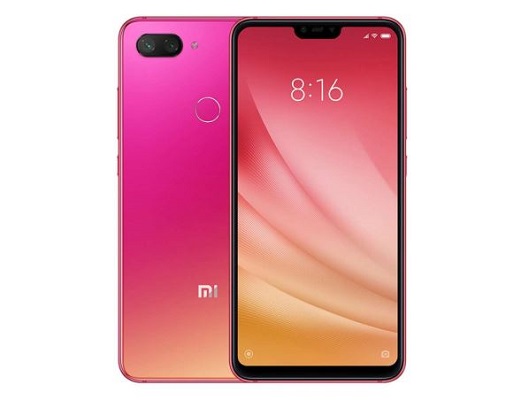
Download Stock Firmware/Flash File Xiaomi MI8 Youth:
Download Official Stock Firmware Flash File For Xiaomi MI8 Youth. If You own Xiaomi MI8 Youth Smartphone and You want to Download the Stock ROM /Flash File/For it then You are on a Correct Place, You have to do this by following the Below Guide.
Xiaomi MI8 Youth Run on android 8.1 & it is Powered by QCOM SD 710 Processor. it is a Dual SIM Smartphone Support Nano GSM SIM Card, Connectivity Option’s Include 3G 4G, GPS, Wi Fi, Bluetooth etc, Sensor include Goryo Proximity Gravity etc.
the Device Come with 4/6GB of RAM and 64/128GB Storage Can be Expandable via SD Card. in Camera Department the Device Come with 48+8+2+2MP Rear Camera With 13MP Front Shooter.
Note:
- Must backup NVRAM using this Guide before Doing anything.
- Must Create a backup of Your ROM and Personal data.
- it will Erase all your Data Include Personal information.
- Make Sure Your Phone Have at least 40-50% Charge to Prevent accidental Shut Down.
Must Require:
1. backup NVRAM
2. backup Your Personal data
3. Create a nandroid backup
Firmware Information-
Device Name: Xiaomi MI8 Youth
Type: Full ROM/OTA
ROM Size: up to 3GB
SoC: QCOM SD 665
OS: Android 9.0
Password: null
Gapps: included
Root access: Not
Firmware version: V11.0.1.0.QEBCNXM
Downloads:
Firmware:
Flash Files:
Recovery updates:
Flash Tools:
- MI Flash Here
Note: Latest Mi Flash Require Authorized account You can try this old version which is work on some devices: Download — Miracle box Free Edition Work on Many Mi Phone
Driver:
- QD Loader Driver Here
How to Install Stock Firmware Flash Xiaomi MI8 Youth:
- Download and Install QD Loader Driver On PC
- Now Run MI Flash Click Refresh
- Select Extracted Fastboot ROM folder
- Reboot Phone to Bootloader and Connect To PC
- Click Start and Wait For Success. Done/

Read also:
- QCOM Dual Device Network ID (Baseband) Writer (Repair Device Network ID (Baseband) Number)