
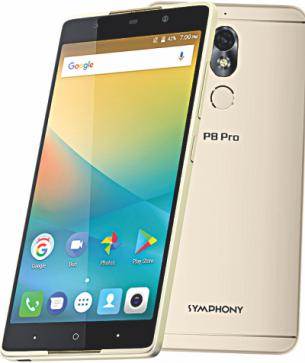
Download official Firmware/Flash file Symphony P8 Pro-
official Stock ROM firmware for Symphony P8 Pro is Here, in the article you will Learn how to Install stock ROM/flash file on Symphony P8 Pro. if you own a Symphony P8 Pro smartphone and want to Install Stock Rom/ firmware on it to unbrick or fix bootloop issue then you are on correct place, here i will Explain a Complete and Step by Step guide to Install Stock Firmware on Symphony P8 Pro.
The Symphony P8 Pro is a Smartphone which is Run on android 7.XX OS and Powered by a Mediatek MT6580 Processor, the Symphony P8 Pro is a Dual sim Smartphone that accept 2 Regular SIM card, connectivity Option’s include 3G 4G, GPS, Wi Fi, Bluetooth etc, Sensor include Goryo proximity Gravity etc.
Note-
1. This Guide is work on Listed Devices only. Don’t try on any other phone.
2. Flashing The Rom by Flash tools will Erase all your Data. So create a backup of your personal data before Flashing, [if possible]
3. Please Do carefully, We are not Responsible for any damage, bootloop, or dead SD card’s.
4. Ensure that your Device atleast 50% charge During Flashing Process,to Stop the Accidentally Switch off.
5. Follow all steps correctly otherwise it cause bootloop.
6. Must backup NVRAM using this Guide before Doing anything.
Must Require:
1. backup NVRAM
2. backup Your Personal data
3. Create a nandroid backup
Firmware Information-
| Device Name | Symphony P8 Pro |
| OS | Android 7.XX |
| Chipset | Mediatek MT6580 |
| language | Multi Language |
| Root access | Not Rooted |
| Gapps | Included |
Require tools and Files-
| File Name | Download |
| SP Flash tools | Download |
| V-COM Driver [Must Require] | Download |
| Firmware Symphony P8 Pro | Download |
| Mirror Link | Download |
| Backup NVRAM [Must Require] | Go–Here |
How to Install Stock ROM on Symphony P8 Pro-
Follow This Step by Step guide to Install Official Firmware on This Device: Here
Related articles-
1, How to Flash Official Firmware on Vivo With QCOM-DLoader.
2. How to Disbale Boot verification using No verity Disbaler.
3. How to Repair Device Network ID (Baseband) Number on Qualcomm Phone [Easy Method]
4. How to Install Xposed framework on any Android Device [also Nougat]
5. How to Root without PC [Easy method]
6. How to backup NVRAM aka Device Network ID (Baseband) Number [Easy method Mediatek]