

The official stock firmware for Vortex HD65 Ultra helps recover your phone to its original factory state. If you’re facing issues like boot loops, software bugs, Factory Data Reset lock, or sluggish performance, flashing the stock ROM can resolve them.
This ROM is specific to your device and ensures proper hardware compatibility and security. Please note: stock firmware is device-specific and cannot be used across different models.
Important Notes:
- Back up all important data before proceeding.
- Follow the flashing steps carefully to avoid bricking your device.
- Flashing incompatible firmware may cause boot issues or render your device unusable.
- Verify that your model number matches Vortex HD65 Ultra exactly before flashing.
Download Links
- Vortex_HD65_Ultra_SP1A.210812.016_k39tv1_64_bsp_k419
- SP Flash Tool
- MediaTek USB Drivers
- Contact Me for unbrick, Factory Data Reset, reset, region change & root
Benefits of Installing Stock Firmware
- Unbrick a dead or non-booting Vortex HD65 Ultra
- Remove Factory Data Reset (Factory Reset Protection) lock
- Fix common software issues, bugs, and lag
- Restore screen locks such as PIN, lockscreen, or password
How to Flash Stock Firmware on Vortex HD65 Ultra
- Install the appropriate USB driver for your Vortex HD65 Ultra on your computer
- Launch the SP Flash Tool V5
- Select the
scatter config file.txtfile from the firmware folder - Load the DA and Auth files if required (for secure boot devices)
- Set the flashing option to “Download Only”
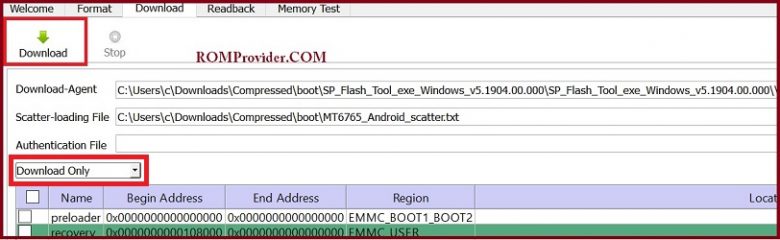
- For protected or secure devices, you may need to disable Serial Link Authentication. Follow this guide to restore SLA/DAA (optional)
- In SP Flash Tool, go to Options > Connection and set UART Baud rate to 921600 (only if flashing via UART)
- Click the “Download” button to begin the flashing process
- Connect your Vortex HD65 Ultra in EDL mode using a USB cable
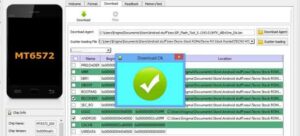
- Wait for the flashing process to complete; your device should reboot automatically once done
Installing Recovery ROM via ADB
adb sideload filename.zip