If you own a OnePlus Tablet 2 Pro OPD2413 smartphone and looking for a way to Install Global ROM on it, then you are in the right place. in this article we will walk you through the process to convert your chines OnePlus Tablet 2 Pro OPD2413 from a china variant to a global variant.
OnePlus Tablet 2 Pro OPD2413 Run on Android 15 & it is Powered by Qualcomm SD 8 Elite Processor. the device come with 12GB of RAM and 512GB of Storage. Connectivity Option’s Include GPS, Wi-Fi, hotspot & bluetooth.
Advantage of Global ROM:
- Remove chines bloatware
- Install Google Play Services
- Multiple languages support
- Install Google Play Store
- Install and activating Android Auto
Note:
- Note that converting your ROM from a regional variant to a global variant can void your warranty and may cause issues with your device if not done correctly. Therefore, it’s essential to follow the instructions carefully and proceed at your own risk.
- Contact Me for unbrick, Factory Data Reset, root, reset & convert global
How to Convert OnePlus Tablet 2 Pro OPD2413 To OPD2415
- Download OnePlus Tablet 2 Pro OPD2413 global rom and unzip it
- Unlock the bootloader
- Connect the device in fastbootd mod
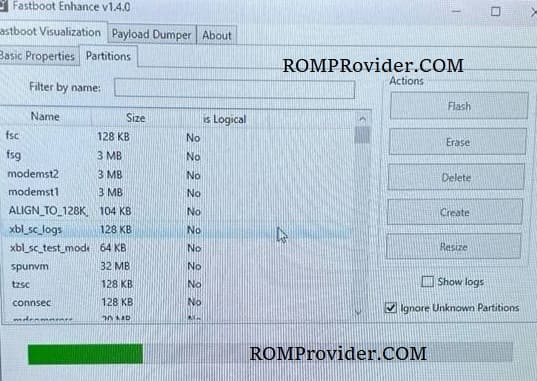
- Open fastboot enhance tool
- Click Flash Payload
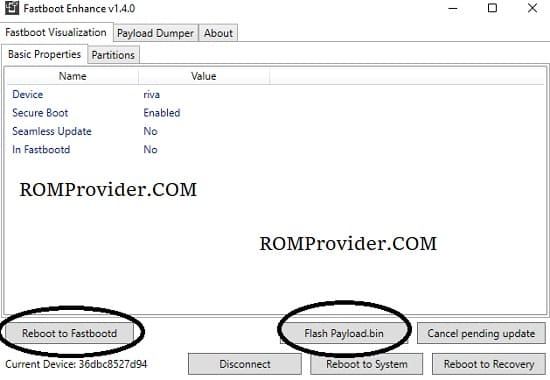
- browse and select the downloaded payload file
- wait until success. once done press reboot