A SIM region lock is a type of SIM lock that restricts the use of a mobile phone to a specific region or country. This means that a phone with a region locked device will only work with SIM cards from that particular region or country.
for example, a phone with a SIM region lock for China will only work with SIM cards from China and will not work with SIM cards from Asia or America. SIM region locks are often put in place by mobile phone manufacturers or network providers to control the distribution of their phones and to ensure that they are used only in the regions for which they are intended.
The OnePlus Ace 5 run on android 15 and it is powered by qualcomm snapdragon 8s gen3 processor. it is a dual Ssim smartphone support nano sim cards. Connectivity option’s include GPS, WIFI, hotspot, bluetooth 4G & 5G. the device come with 12GB of RAM and 256GB of storage.
- Contact Me for SIM unlock, root, Region Change, unbrick, Factory Data Reset & MSM Auth >>
Steps to unlock SIM Lock on OnePlus ACE 5 PKG110:
for advance user (do at own risk)
- unlock bootloader of your device
- Install magisk root
- open magisk & Install ‘oplus-region-unlock’ module
- check the region status
- if unlocked, close the bootloader and reflash rom
Free Method (official Unlock)
- Visit nearby Oplus service center and ask them to unlock your device
Paid Method (Instant Unlock)
- Contact Me for instructions
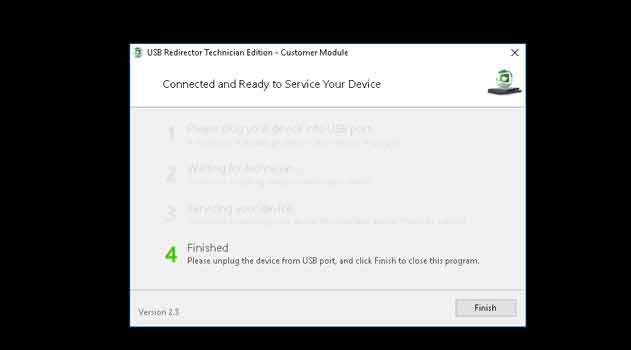
- open usb redirector program on your computer #
- enter the IP in the usb redirector program
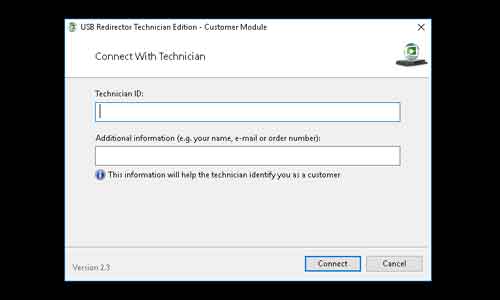
- once it ask to plug device, connect your device to computer with usb debugging enabled (ADB Mod) and allow file transfer
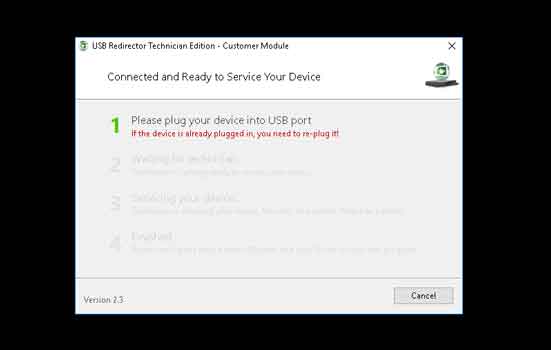
- Wait until success