
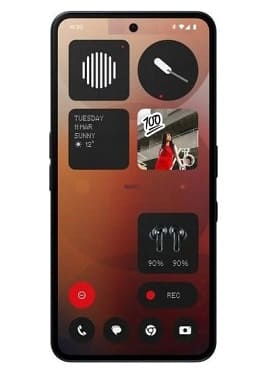
If your Nothing Phone 3A Pro is completely dead, stuck on the boot loop logo, locked out by a Google account (FRP), or experiencing a System Crash Dump error, you need the official stock factory firmware to restore it.
The Nothing Phone 3A Pro is powered by a high-performance Qualcomm Snapdragon chipset. When standard recovery modes fail, flashing the device via Qualcomm EDL Mode (Qualcomm HS-USB QDLoader 9008) using the specialized unbrick utility is the only way to completely revive your phone.
📥 Direct Download Section
Download the verified official stock ROM package below to begin the unbrick process.
-
File Name: Nothing_Phone_3A_Pro_OS_3.0_250302_NFT.zip
-
System OS Version: Nothing OS 3.0 (Official Build)
-
Supported Model: Nothing Phone (3a) Pro Only
⚠️ Important Reminder: Stock ROMs are highly device-specific. Do not attempt to flash this package on a regular Nothing Phone 3a, Phone 2a, or any other model, as doing so will permanently hard-brick your hardware. Proceed carefully and flash entirely at your own risk.
Common Software Issues Fixed by This Tool:
-
Stuck on Nothing Logo: Fixes bootloops caused by corrupted system files or bad OTA updates.
-
Qualcomm 9008 / EDL Mode: Fully revives dead units that only show a black screen when connected to a computer.
-
FRP & Screen Lock Removal: Completely clears stubborn Google Account Verification locks and device passwords.
-
Blank / White Screen Fix: Repairs display driver configurations if your screen went blank after an incorrect flash.
-
Crash Dump Screen: Permanently repairs Qualcomm diagnostic crash dump loops.
💬 Need Professional Help? If you are uncomfortable flashing the device yourself, face auth errors, or need a Region Change, Rooting help, or Crash Dump Fix: Contact Me Directly Here for remote repair assistance.
How to Unbrick the Nothing Phone 3A Pro (Step-by-Step)
Before you begin, make sure your computer has the latest Qualcomm USB Drivers installed so it can recognize your phone in emergency mode.
Step 1: Extract the Packages
-
Download the firmware ZIP archive from our direct download section above.
-
Extract the archive contents to an easy-to-find folder on your desktop using WinRAR or 7-Zip.
Step 2: Launch the Unbrick Interface
-
Open the extracted folder.
-
Locate the main executable service program (
Unbrick Tool / Flasher.exe) inside the workspace. -
Right-click the file and choose Run as Administrator.
Step 3: Trigger Connection and Flash
-
Inside the tool, verify the firmware paths are correctly loaded, then click the Flash button to put the software into standby mode.
-
Power off your Nothing Phone 3A Pro completely.
-
Hold down both the Volume Up + Volume Down buttons together.
-
While holding the keys, connect your phone to the PC using a high-quality USB data cable. Your device screen will remain black, but your PC will detect it in 9008 EDL Mode.
Step 4: Monitor and Reboot
-
Do Not Touch the Cable: The progress bar will turn green/blue as the tool completely rewrites your device partition table. Let the process run completely uninterrupted.
-
Finish Up: Once the tool window gives a Success confirmation prompt, unplug your USB cord. Hold down the Power key to restart your freshly fixed phone!
🔗 Advanced Customization Guides
Looking to modify your phone further once it is up and running? Check out our official rooting guide: