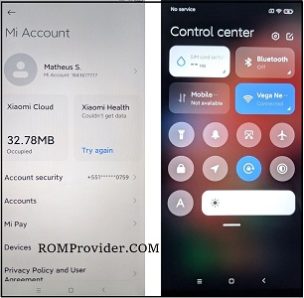
MIUI 12 for Tecno Spark 5 Air:
unofficial MIUI 12 Firmware Now available for Tecno Spark 5 Air & You can Download it From below. The ROM is a GSI Firmware and working on this device.
Tecno Spark 5 Air Run on Android 10 & it is Powered by Mediatek MT6761 Processor. it is a Dual SIM Smartphone Support Nano GSM SIM cards, Connectivity options include GPS WIFI hotspot & 3G. The device come with 2GB of RAM and 32GB of Storage that can be expandable via SD card.
Note:
- Flashing may brick your phone. do at own Risk
- GSI Images are In beta and Some Functions are Not Working or device based bug
Pre-Requirement:
- Download Treble Checker APP From Play Store
- Open Treble Checker app and Check for Correct Image type and Architecture
Downloads:
- MIUI 12 Android 10 for Tecno Spark 5 Air: Download
How to Install MIUI 12 on Tecno Spark 5 Air :
- Download & Setup Platform tools on Computer
- Download & Install adb Fastboot Driver on Computer
- Extract ROM & Vbmeta file (Form Firmware) in Platform tools Folder
- Reboot Phone to bootloader (Power + Volume Down key) & Connect it to PC
- Open CMD In Platform tools folder and send Below code
fastboot flashing unlock
confirm unlocking by pressing volume up key
fastboot --disable-verity --disable-verification flash vbmeta vbmeta.img
fastboot flash system system.img
fastboot reboot