
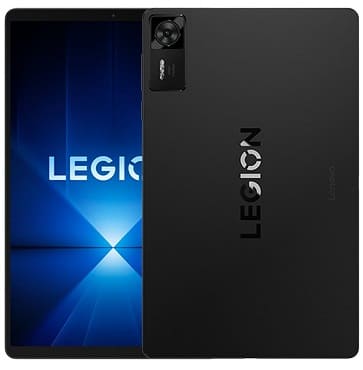
The EDL test point is a specific contact area on the Lenovo TB321FU’s motherboard that allows the device to enter Qualcomm’s Emergency Download Mode when shorted. This hardware-level method is essential when the phone becomes bricked, stuck in boot loop, or unresponsive. Once in EDL mode, the device can interface with a computer using an EDL Flash Tool to install firmware and recover functionality.
To put your Lenovo TB321FU into EDL mode via test point, follow the instructions carefully below. This method is effective when system-based options (like ADB or Fastboot) aren’t working.
Note:
- This process involves opening the device, which may void warranty or cause damage if not done correctly.
- Proceed only if you’re confident or experienced with hardware disassembly.
How to Reboot Lenovo TB321FU into EDL Mode Using Test Point:
- Install the required EDL USB driver on your PC.
- Power off the device completely.
- Gently remove the back cover and any shielding to access the motherboard.
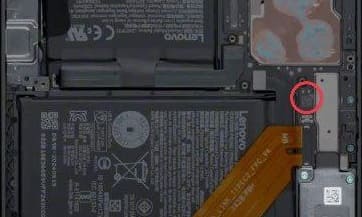
- Locate the EDL test point as shown in the image below.
- Short the test point using a copper wire or tweezer, then plug in USB cable to PC.
- Check the Device Manager — it should show as “Qualcomm HS-USB QDLoader 9008”.
- If the device isn’t detected, retry the shorting process and make sure drivers are correctly installed.
Test Point image for Lenovo TB321FU:
Why Use Test Point?
- Device is hard-bricked or unresponsive
- Bootloader or recovery is corrupted
- Factory Data Reset lock removal when no ADB or Fastboot access
- To install original firmware without unlocking bootloader