MIUI 12 For Cherry Flare S8 Plus:
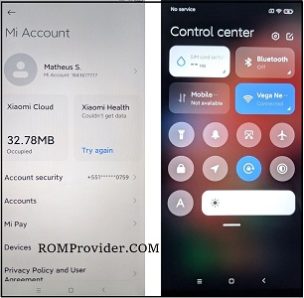
unofficial MIUI 12 Firmware Now available for Cherry Flare S8 Plus & You can Download it From below. The ROM is a GSI Firmware and working on this device.
Cherry Flare S8 Plus Run on Android 9.0 & it is Powered by Mediatek helio P70 Processor. it is a Dual SIM Smartphone Support Nano GSM SIM cards, Connectivity options include GPS WIFI hotspot 3G & 4G.
Note:
- unlocked bootloader require
- Flashing may brick your phone. do at own risk
- GSI Images are In beta and Some Functions are Not Working or device based bug
Downloads:
- MIUI 12 ARM64/AB Partition: Download
How to Install MIUI 12 on Cherry Flare S8 Plus:
- Download & Extract ROM file, Move it to device
- Go to twrp, Make a backup, Flash ROM via Install image
- Go back & Reboot System Now. Size issue Resize via twrp
Via fastboot Mod:
- Setup Platform tools
- extract ROM in Platform tools Folder
- Now Send below code over fastboot
fastboot erase userdata
fastboot flash system system.img