
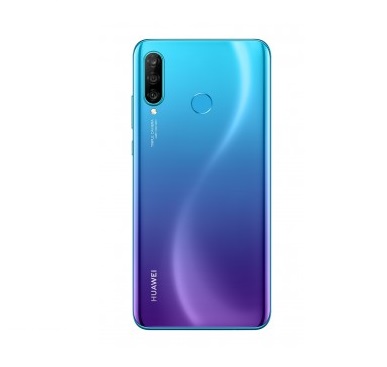
B125 official Firmware update For Huawei P30 Lite MAR-LX2:
Download & Install b125 official Firmware update For Huawei P30 Lite MAR-LX2. if you own Huawei P30 Lite MAR-LX2 Smartphone then You Can Download Latest Firmware update For it. B125 Firmware update For Huawei P30 Lite MAR-LX2 available for all it’s users via The OTA So You Can Check For update From about_Phone/System_update Section . if you have not Yet Receive it then You can Download it From the below.
b125 update For the Huawei P30 Lite MAR-LX2 is applied to the SoftBank OTA test. A Complete Changelog File also attached with the Firmware You Can Check it before Download.
The Huawei P30 Lite MAR-LX2 Smartphone is Run on Android 9.0 OS Which is Powered by Kirin 710 Processor. The Device Come with the 4/6GB of RAM and 128GB of Storage.
Note-
1.Must Create a backup of Your ROM and Personal data.
2.it will Erase all your Data Include Personal information.
3.Make Sure Your Phone Have at least 40-50% Charge to Prevent accidental Shut Down.
4. Method 3 is best. dload Method only for MM Devices with SD card update. Method 1& 2 are optional.
Firmware Information-
- Device: Huawei P30 Lite MAR-LX2
- Model No:MAR-LX2
- Android OS: 9.0
- Version: 9.0.0.125
- EMUI: 9.0
- Firmware: B125
- Status: Official
- Type: Full firmware image
- Size : up to 2 GB
Download-
Tools:
MAR-LX2J-CUSTC111B25 (9.0.1.25)(YMobile)
- full_cust_MAR-L02J_ymobile_jp
Service Firmware:
Note: Service Firmware is Not tested Please use only on Dead and bricked Phone.
Changelog:
- Dear users, this upgrade is applied to the SoftBank OTA test.
How to Install official Firmware update on Huawei P30 Lite MAR-LX2:
- Download HiSuit From Here
- Set the DNS address 81.177.139.39 in Your network connection.
- Connect the phone with PC With HiSuite Running, wait until it Installs the mobile application and join the phone.
- In HiSuite, Click “Update” and agree to Install the update found. Then Cancel the Installation, go to the folder C: \ Users \% username% \ Documents \ HiSuite \ ROM . Replace files with the extension “.zip.dbk” with pre-downloaded firmware files ( update.zip, update_full_ * .zip, update_data_full_public.zip ).
- Again, Click “Update” and see that the firmware is loaded 100%, after which the download will Start on the Phone.
- Restoring the DNS settings to the original value, since during the update authentication, an error like “Server is not available” is possible.
- When the firmware is downloaded – the phone will reboot and start the installation
Method 2 With twrp:
- Download update Package From above
- Download HuRupdater.zip and Move it to Device Storage along with update file.
- Make Sure all Files (Like full, public, and update zip) available in Same Folder
- Reboot Phone to twrp Recovery. Go to backup and Create a nandroid backup
- Go to Install and Install HURupdater.zip. Done Reboot system Now.
- if the Phone is not bootup Then Flash no verity opt Encrypt.zip. Done
More Method:
- Some More Installation Method Here