

Download stock board software for honor 70 FNE-AN00 for dead boot repair. by using this ROM you can fix bootloop and hard brick issue on your honor device.
Download Links
- Huawei Multi Downloader: Download
- Honor-70-FNE-AN00 Board Software File Free
- Contact Me for unbrick Factory Data Reset, reset region change & root
How to Flash Honor 70 FNE-AN00
- Download latest firmware from above link
- Download & Install Huawei USB COM driver on your pc
- Run IDT 2.0 and Click on Setting’s Icon
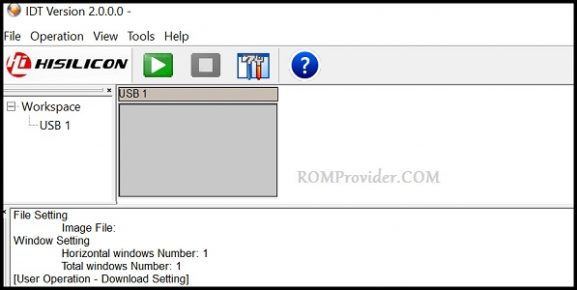
- Now load the XML File form Firmware Folder
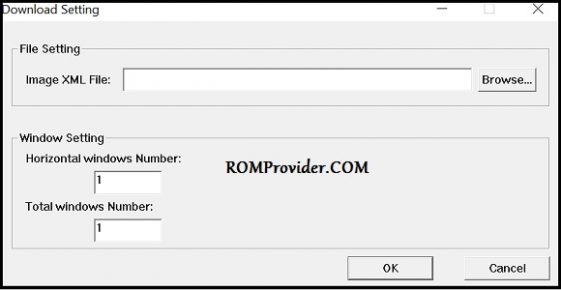
- Click Ok, Connect Phone to PC and Short Pinout For test Point
- From the USB Port Select The Correct usb COM port
- Now Click Start
- Wait until the process complete