The Xiaomi Mi Unlock Tool is the official desktop utility provided by Xiaomi to unlock the bootloader on all Xiaomi, Redmi, and POCO smartphones. Unlocking the bootloader is an essential first step if you intend to root your device with Magisk, install custom recoveries like TWRP, or flash customized firmware like Xiaomi.eu or custom AOSP ROMs.
🔒 Important Modern Security Update: > For modern devices running Xiaomi HyperOS (including HyperOS 2.0 and the latest HyperOS 3.0), you must first request and obtain unlock authorization directly through the official Xiaomi Community App on your phone. Once your account is granted permission, you can use the desktop tools below to finalize the process.
📥 Direct Download Section (All Stable Builds)
Get the official, clean ZIP archive links for the Mi Unlock utility. These files run portably on Windows and do not require a heavy setup installer.
| Version | Release date | Download link |
|---|---|---|
| Mi Unlock Latest Version | 2026 | Download |
| Mi Unlock 7.6.602.42 | June 2, 2023 | Download |
| Mi Unlock 6.6.510.37 | May 10, 2023 | Download |
| Mi Unlock 6.5.406.31 | September 19, 2022 | Download |
| Mi Unlock 6.5.224.28 | May 29, 2022 | Download |
| Mi Unlock 5.5.224.24 | February 1, 2022 | Download |
Technical Specifications:
-
Developer Source: Official Xiaomi Inc.
-
File Structure: Compressed Safe
.zipArchives -
Compatible OS: Windows 7, 8, 10, 11 (32-bit & 64-bit)
-
Infrastructure Rule: Device data backup is mandatory; the unlocking process will execute a complete factory hard reset on your device.
Key Prerequisite Rules Before Unlocking
Before running the PC software utility, you must prime your phone’s Android software ecosystem:
-
Developer Access: Go to Settings ➔ About Phone and tap on your OS Version (MIUI/HyperOS) 7 times until Developer Options are enabled.
-
Account Linking: Go to Settings ➔ Additional Settings ➔ Developer Options. Turn on OEM Unlocking and head into Mi Unlock Status to securely bind your active Mi Account to the hardware core.
-
Driver Readiness: Ensure your PC has working Xiaomi USB Fastboot drivers installed to avoid device connection detection drops.
How to Use Xiaomi Mi Unlock Tool (Step-by-Step)
Step 1: Open and Authenticate the Tool Workspace
-
Download your preferred version from our direct high-speed table above.
-
Extract the file contents into an easily accessible directory folder on your desktop using WinRAR or 7-Zip.
-
Open the directory, locate
miflash_unlock.exe, right-click it, and choose Run as Administrator. -
Log into the workspace panel using the exact same Mi Account credentials currently synced to your smartphone.
Step 2: Boot Your Device into Fastboot Mode
-
Turn off your Xiaomi, Redmi, or POCO phone completely.
-
Press and hold down both the Volume Down + Power buttons together.
-
Release the keys once the classic mascot or the FASTBOOT text layout indicator displays on your phone screen.
-
Plug your phone into your computer using a high-quality, stable USB data cord (preferably into a native USB 2.0 port to prevent communication drops).
Step 3: Trigger the Verification Check
-
The PC utility dashboard will automatically scan the hardware connection and change its status display line to “Phone Connected”.
-
Click on the large Unlock execution button positioned at the bottom pane area.
-
Read and confirm the warning prompts regarding system security modifications, then select Unlock Anyway to begin the process.
Step 4: Process and Verify Successful Reboot
-
Verification Loop: The engine will communicate directly with Xiaomi cloud servers to parse your authorization tokens.
-
Timing Constraints: If you are servicing a brand new device, the tool log may pause at 99% and prompt a security cooldown notice (e.g., Please unlock 168 hours later). If this occurs, simply wait out the requested hours without unlinking your Mi Account, then repeat the process.
-
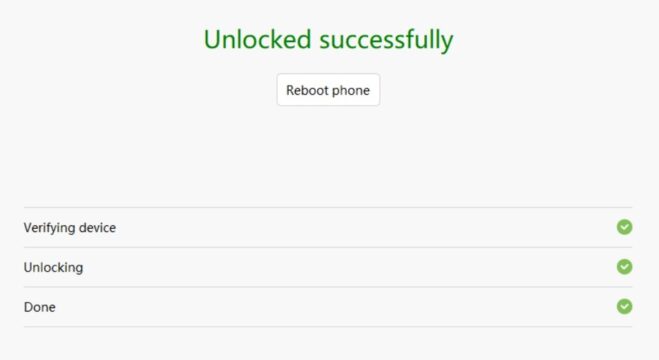
Successful Unlock: Once the progress status bar logs “Unlocked Successfully”, your smartphone will perform an automatic wipe script and boot directly back into the system setup screen with a clean, unlocked bootloader state!