

An Engineering ROM, also known as an Engineering firmware or Engineering mode ROM, is a modified version of the stock ROM (firmware) that is often used for debugging, testing, and engineering purposes on mobile devices.
While the primary purpose of an Engineering ROM may vary depending on the device and the specific modifications made, one common feature is the ability to perform Device Network ID (Baseband) repair.
It’s important to note that the use of Engineering ROMs and Network Parameter repair tools may have legal and regulatory implications, as altering or tampering with Device Network ID (Baseband) numbers is often restricted or prohibited in many countries. It’s recommended to ensure compliance with local laws and regulations before engaging in any Device Network ID (Baseband) repair activities.
Note:
- Must Make a backup before process
- it will erase all your data Including Internal storage
Download Links:
- ENG ROM Xiaomi 12T (Plato): Download
Flash Tools:
- SP Flash tool: Download
- ROM2box Full Free: Download
- contact me Here for Mi Flash Auth, unbrick, Region change & root >>
USB Driver:
- Mediatek USB Driver: Download
How to Install ENG ROM on Xiaomi 12T:
- unpack downloaded Firmware using 7zip
- Now You have scatter firmware
- Install Mediatek Vcom driver on Your computer
- disable SLA Authentication by following this Guide (if not disabled You will face a BROM error or flash tool Require a Authorized account/ID)
- Download & Extract smartphone flash tools on your computer
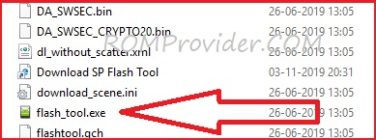
- from the flash tool folder Run flash_tool.exe
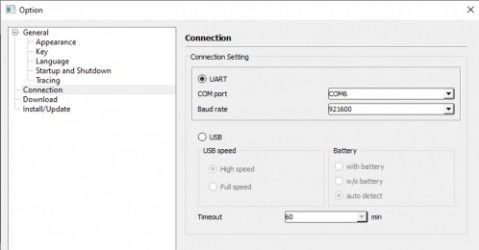
- set connection like below image (option/connection)
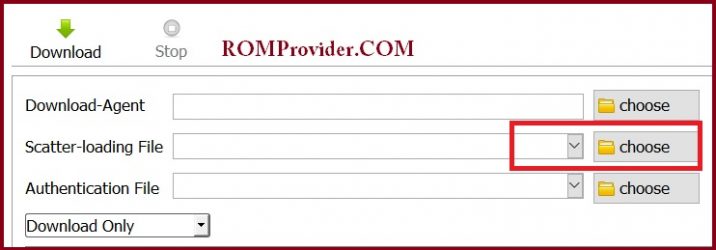
- Go to Download tab Click Scatter and Load Scatter File from ROM folder
- Repeat Process and load DA and Auth file too
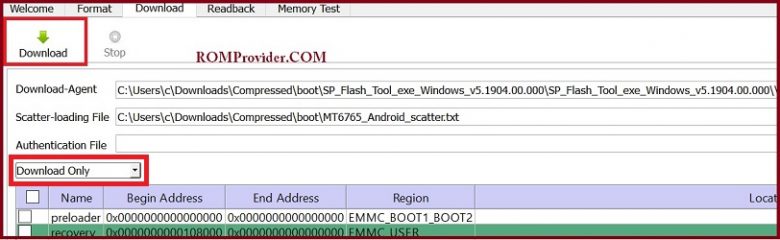
- from drop down Select ‘Download only‘
- Click ‘Download’
- turn Phone OFF, Now together Press Volume up + down key & Insert USB, Once Phone detected Immediate Release key (make sure your phone stable in device manager)
- You will see a Yellow flashing bar with flashing Process. once done, unplug device and switch it ON
Read also: