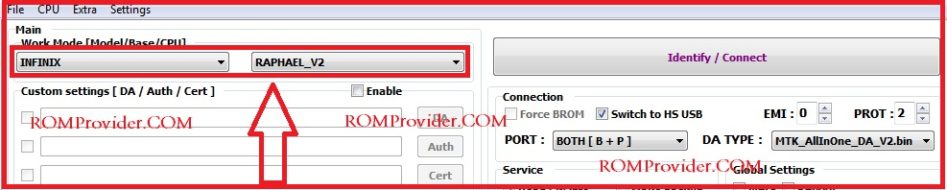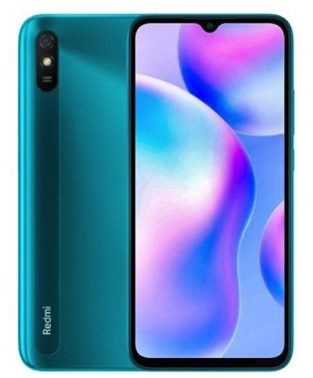
Download Redmi 9i Sport MTK Secure boot DA File:
Redmi 9i Sport tested DA File [Download agent] Now available for download & You can download it from below. The file tested & working with CM2, SP Flash tool, Miracle box and NCK box.
Redmi 9i Sport Run on Android 10 & it is Powered by Mediatek helio G25 Processor. it is a dual SIM (GSM) smartphone that support Nano-SIM cards. connectivity options Include Wi-Fi GPS bluetooth USB OTG FM 3G & 4G. The device come with 4GB of RAM and 64GB of storage that can be expandable via SD card.
Why would I Need an MTK Secure Boot DA File?
If you try flashing MTK devices which have secure boot with SP Flash tool then you’ll run into Authentication or Buffer Errors . In boxes like CM2, NCK or Miracle, You’ll encounter a Secure Boot! error, To flash such devices, You’ll need a Secure Boot DA file. It’ll also come in handy when trying to restore factory Reset Protection (Factory Data Reset)
Download Links:
- Redmi 9i Sport DA & Auth file: Download
- before using the file first you have to disable SLA authentication by following this guide
How to use Redmi 9i Sport MTK DA File:
With NCK Box:
- Open NCK and Click on Factory Data Reset-PATTERN-PRIVACY-RESET
- Click select custom loader
- navigate to your DA file and select the DA you wanted to use.
- Click on [FM] Reset Factory Data Reset / [FM] Means Flash Mode
-
- Open NCK Loader
- Click on settings
- Navigate to your DA file and select the DA you wanted to use.
- back to service Tab
- click Reset Factory Data Reset
With SP Flash tools:
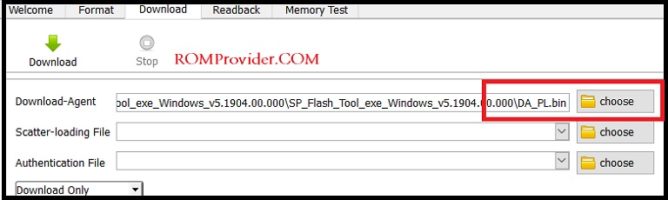
- In SP Flash tools You can select DA File in the Main tab of the tool.
How to use with CM2:
- Download & extracted Da File
- Now Move Downloaded File in CM2/boot files directory, Now You can use it in CM2