
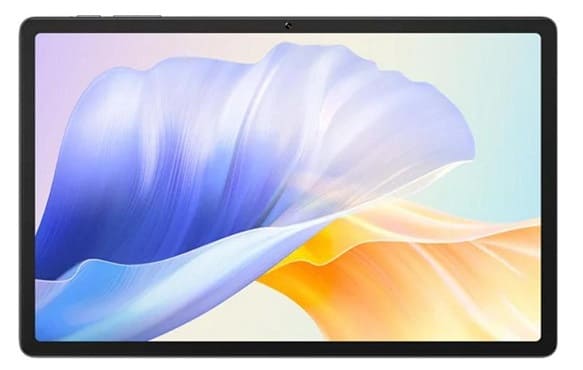
Download official stock firmware for the Cubot Tab 50 for free. If you own a Cubot Tab 50 smartphone and want to download the stock ROM for it, then you are in the right place. here we share scatter & full OTA (payload.bin) firmware for your device. follow the guide below to proceed.
The Cubot Tab 50 runs on Android 14 operating system, powered by a Mediatek helio G99 processor. connectivity options include GPS, WIFI, Bluetooth, hotspot etc. sensors include gyroscope, proximity, gravity, etc.
Download Links
Flash Tools
- SP Flash tool: Download
- ROM2box Full Free: Download
- Contact Me for Auth, unbrick, Factory Data Reset, Reset, Region Change & root >>
USB Driver
- Mediatek USB Driver: Download
Note:
- Make a backup before process
- it will erase all your data Including Internal storage
Advantage of Stock Firmware:
- fix software glitch
- unbrick, bootloop fix
- dead boot repair
- pattern, pin password lock restore
- Factory Data Reset verification restore/ google gmail account lock restore
How to Install Stock ROM ON Cubot Tab 50
- Download & Extract Firmware
- Install Mediatek USB driver on your computer
- Open the SPFlashToolV6.exe.
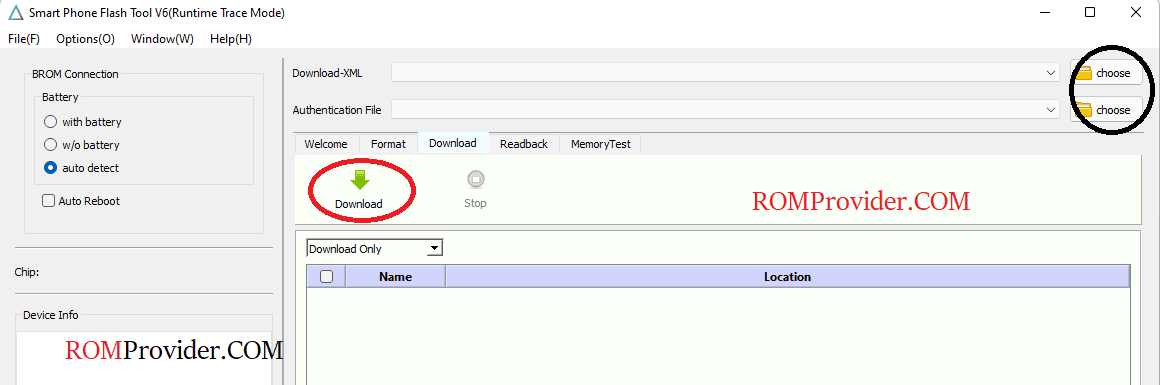
- In the Download tab, Click ‘choose‘ browse and select scatter file from Downloaded firmware
- Repeat the process, browse and select auth file
- In the drop down menu select Download only
- Click ‘Download‘ button to start the flashing process
- I am assuming that the device already connected, we connect it during the SLA Disable Process. if the device not connected, hold volume up down button and connect it (make sure it’s in power off mod, we need preloader or brom mod)
- Monitor flashing process
- once flashing complete ,the device start itself.
Related: