
Skip to content
ROMProvider.COM
  • Firmware Finder
    • Xiaomi Firmware Finder
    • Nothing Firmware Finder
    • Lenovo OTA Update Checker
    • KernelSU GKI SUSFS Kernel Finder
  • Tools
    • ROM2box
    • ARB Checker
    • Partition Backup Restore
  • How To
    • Root
    • Global ROM
    • Unlock Bootloader

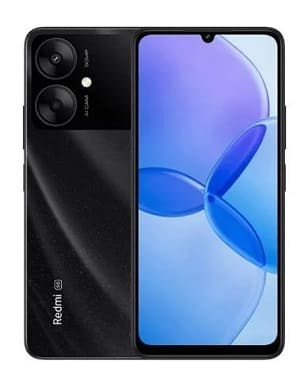
How to bypass FRP & Mi Account lock on Redmi 13R 5G

February 7, 2024 by Jeck24

Mi account lock is a security feature on Redmi 13R 5G which is automatically activated when you set up a MI Account on Your device. Once it is activated, it prevents use of a device after a factory data reset, until you log in using the same Mi account.

Note:

  • do at own risk
  • some sensor may not works after account bypass. you have to re-write persist partition from backup folder, it’s normal just setup the phone first time then flash backup image
  • Contact Me for Auth, unbrick, FRP, Reset, Region Change & root >>

Steps to bypass Mi account Lock on Redmi 13R 5G:

  • Open ROM2box_Mediatek
  • Click ‘bypass function‘
  • In Next Windows Click ‘WIPE FRP+MiCloud‘
  • power off phone, hold volume up down & plug device
  • once done, your device start automatically..
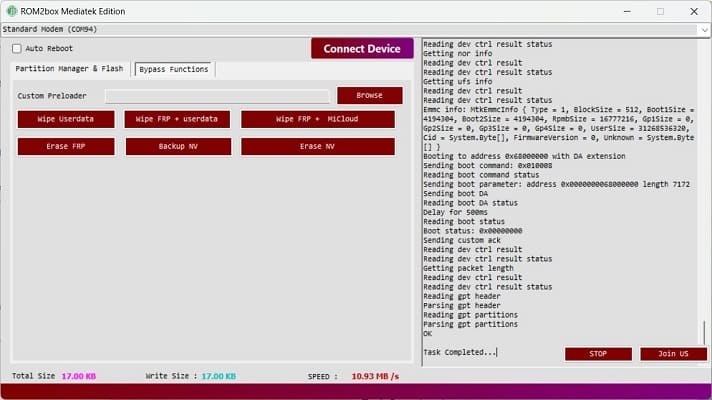
  • Once done follow this page for permanent bypass
Related Article-
  • Redmi 13R 5G Flash File Firmware Free Download
  • What is MediaTek Preloader? How to Install MediaTek Preloader Driver

Categories Xiaomi Tags bypass mi account, mi account remove tool, mi account reset, Redmi 13R, remove mi account
Oppo Find N3 Stock ocdt.img Free Download
ZTE A7000 [Malaysia] Flash File Firmware MT6771 9.0
  • Instant Bootloader Unlock For Oppo Realme Devices
  • Realme RMX3366 Instant bootloader Unlock
  • Vivo V30 Pro 5G Test Point Reboot EDL Mod
  • Motorola Moto G85 5G ISP Pinout
  • Realme RMX3366 Test Point Reboot EDL Mod
  • Sitemap
  • About us
  • Contact us
  • Privacy Policy
  • Terms & Conditions
© 2025 ROMProvider.COM