
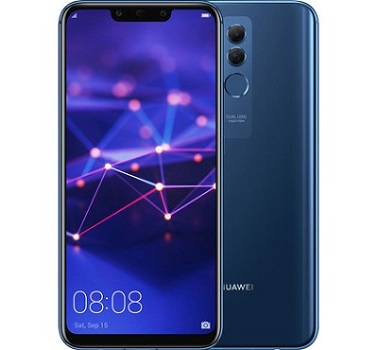
EMUI 10 Official Android 10 Update for Huawei SNE-LX1/ Huawei Mate 20 Lite:
Official Android 10.0 have Now been available for the Huawei SNE-LX1 and Now You can Download it from below. The update will bring you a brand New user Experience with the Latest EMUI 10. by using the update you will get all Android 10 features as well as EMUI 10 features.
Note:
- to Fix Screen Flick Restart the app.
- Charge the device to Prevent accidental shut down
- apps Compatibility issue May Present. First Make a factory Reset and then Install
- if You have Some Important app installed then First Make a backup with app data and then Restore using the same (use app Like titanium backup)
EMUI 10 Features:
- Live Caption
- 3D touch Effect
- Magazine Design
- Dark Mod
- Morandi Color
- New camera UI
- New app Drawer
- Desktop Mod
- GPU Turbo
- Phone Clone
- App Assistant drop zone
- New Transition animation
- all feature from Stock Android 10
Downloads:
- SNE-LX1 SNE-L01 HW EEA HLRCF SYDNEYM-L01 10.0.0.170
- SNE-LX1 SNE-L01 HW EU HLRCF SYDNEYM-L01 10.0.0.170
- Install only on Correct Model
How to Install EMUI 10 Android 10 update on Huawei SNE-LX1:
- Open the Zip and Extract the dload folder on the Pen drive
- Turn off the Phone
- Connect the Pen_drive to Phone with the OTG cable
- Press Volume + Volume – & Power button at Same time
Note: SD Card Method: Extract Zip in Phone Storage and Same Process
Optional Method:
- Enter the Service menu by dialing * # * # 2846579 # * # *
- Press Option 4. Software Upgrade
- Press OPTION 1. Memory Card Upgrade