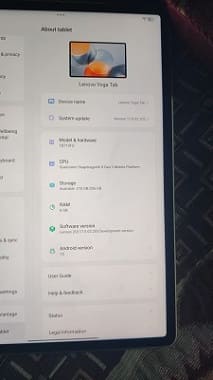
Lenovo TB710FU is a budget tablet for users who love premium design & performance. Installing Global Stock firmware on the Lenovo TB710FU can enhance usability, but it requires careful steps and attention. First, you have to unlock the bootloader of your device. This step is essential because it allows modifications to the system, keep in mind that it may void your device warranty and erase all data on your phone.
Next, download the correct Global Stock firmware for the Lenovo TB710FU. It’s very important to make sure compatibility to avoid any issues such as boot loops or system errors. After that, install the necessary QFIL USB drivers and tools such as QFIL and fastboot on your computer, which will help in communicating with your device. Here are detailed instructions to install global rom on Lenovo TB710FU.
Advantage of Global firmware:
- Remove chines bloatware
- Install Google Play Services
- Multiple languages support
- Install Google Play Store
- Install and activating Android Auto
Note:
- Flash at own risk.
- Update not work
- If the bootloader is restricted, try third party tools that support your device variant
Requirement’s
- Unlocked bootloader
- Platform tools
- QFIL Tools
- Global firmware
- Contact Me for professional convert/unlock service.
How To Install Global Firmware On Lenovo Xiaoxin Pad Pro GT
- Unlock the bootloader of your device.
- Download and install the QFIL tool on your computer.
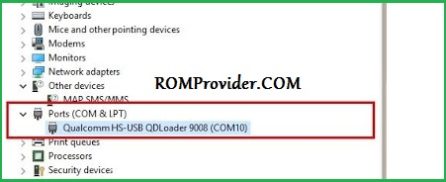
- Install the Qualcomm 9008 USB driver on your computer.
- Download and unzip the global ROM.
- Open the QFIL tool.
- Browse and select the
contents.xmlfile from the global ROM folder. - Repeat same, browse and select firehose file
- Connect the device in EDL mode.
- Click the Download button.
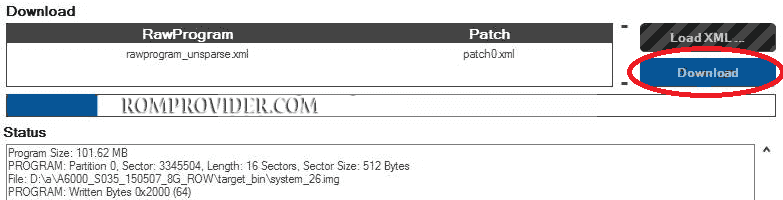
- Wait until the process is successful. Once done, turn on the device