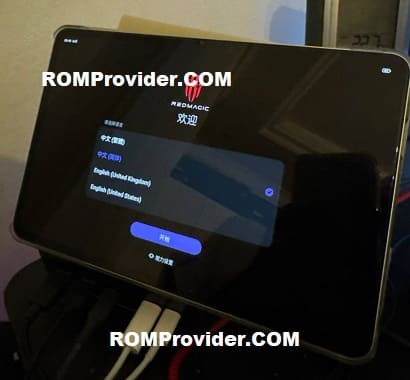
If you’re holding the RedMagic Astra Pad NP05J, you already know this isn’t just another tablet — it’s a piece of performance hardware built with intent. Installing the official China ROM isn’t about tinkering for the sake of it; it’s about restoring the device to its native software environment, unlocking region-exclusive optimizations, and experiencing the firmware exactly as engineered by Nubia Technology.
Why install the China ROM?
- Faster updates..
- Sometimes going back to the original firmware is simply the best move, especially if the device isn’t behaving the way it should.
- You might want to install it if you want the tablet running exactly the way it shipped from the factory, with all the original UI elements and features intact. It’s also a solid fix for random bugs, lag, or strange glitches that start showing up over time.
- A lot of people also reflash before selling or handing the device to someone else, just to start from a completely clean slate. And of course, if an update failed or the system got corrupted, flashing the stock China ROM is usually the most reliable way to recover.
- You also get access to the region-specific tweaks and system apps that are part of the original software experience.
Requirement’s:
- Unlocked bootloader
- Platform tools
- China ROM
- Fastboot enhance tool
- Contact Me for professional convert/unlock service.
How to Flash China ROM on RedMagic Astra Pad NP05J
- Download China ROM payload bin for your NP05J
- Unzip downloaded file go get payload.bin
- Connect the device in adb mod & reboot it to fastbootd mod, You can do it by sending below cmd with platform tools
adb reboot fastboot
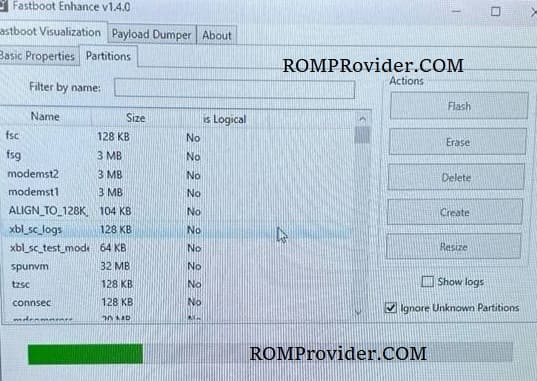
- Open fastboot enhance tool
- Click Flash Payload
- Browse and select the downloaded payload file
- Wait until the success
- Once done, press restart
Note:
- Flash at own risk, incorrect or partial flash may lead brick..
Successfully Installed >>