
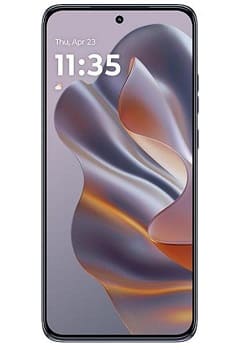
Download Motorola Edge 50 Neo tested flash file for free, it is a full fastboot rom that can be flashed using the included flashing script. Motorola Edge 50 Neo stock firmware is useful for fixing issues such as hang on Logo, Factory Data Reset lock, fastboot Mode, display black or white after flash, dead recovery, dead after flash etc.
Motorola Edge 50 Neo runs on Android 14 operating system, powered by Mediatek 7300 Processor. it is a dual sim smartphone that accept dual nano sim card. connectivity options include GPS, WIFI, Bluetooth etc. sensors include gyroscope, proximity, gravity, etc.
Download Links:
Firmware:
- VIENNA_RETAIL_15_V1UIS35H.11-39-10-3
- Contact Me for unbrick, boot repair, stuck at fastboot/diag port fix >>
Flash Tools:
usb Driver:
- usb driver: Download
Note:
- Make a backup before process
- check correct carrier before downloading any file
- it will erase all your data Including Internal storage
How to Install Stock Firmware on Motorola Edge 50 Neo:
- Reboot phone to bootloader by pressing Volume down & power key
- connect Phone to computer by using the usb cable
- Go to firmware folder and Run flash-all.bat wait until success, once done disconnect device and switch it ON..
Or
fastboot flash 'partition name' 'filename'
Note:
- Parse flashfile.xml to get fastboot script
- if you have a hard bricked device first unbrick it
Read also: