

Engineering ROM is Combination software which allow critical partition Repairing on Xiaomi 12 Lite. With the help of ENG ROM you can Repair Device Network ID (Baseband) number on your Xiaomi device.
Note:
- make a backup before Process
- it will erase all your data Including Internal Storage
Downloads Links:
- ENG ROM Xiaomi 12 Lite: Download
How to Flash Xiaomi 12 Lite ENG Firmware:
- Download and Install Qualcomm driver on your computer
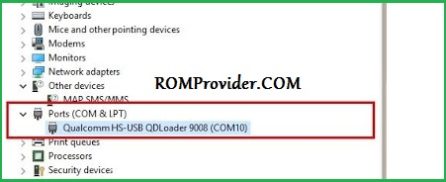
- Download extract & Install MI Flash on your computer
- Run MI Flash Tools
- select extracted ROM folder
- Reboot phone to Bootloader (or EDL Mod) and connect it to computer
- click ‘REFRESH‘ button
- Once you see a device in MI Flash, Click ‘FLASH’
- after some time a authentication Prompt will Open, enter your Xiaomi Auth Account credential
- Request Auth
- Wait until success. once done, disconnect device & switch it ON
