
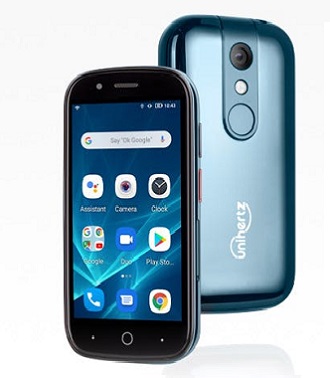
Download Stock Firmware for Unihertz Jelly 2:
Official Stock Firmware Flash File Now available for the Unihertz Jelly 2 & You can download it from below. The firmware come in scatter format which can be flash either with SP Flash tool or Miracle box.
Unihertz Jelly 2 Run on Android 10 and it is Powered by Mediatek MT6771 Processor. it is a Single SIM Smartphone support Nano SIM card, connectivity options Include, hotspot, WIFI, GPS, Bluetooth & 3G. The device come with 6GB of RAM and 128GB of storage that can be expandable via SD card.
Must Require:
Why We Need Stock Firmware?
- to downgrade a Phone
- to upgrade a Phone
- Fix Some serious issue in phone
- Remove Factory Data Reset, Pattern and Pin lock
- fix bootloop and software issue on Phone
- Completely Re-Installation of Board Software
Pre-Requirement’s
- backup Your NVRAM using this Guide
- First Make a Complete backup of Your Personal data (if Possible)
- Charge the device at least 50% to prevent accidental shut down during the process
Firmware Information:
Device Name: Unihertz Jelly 2
Type: Full ROM
Size: up to 1.6GB
SoC: Mediatek MT6771
Os: Android 10
Password: Null
Root access: Not
Gapps: Included
Firmware Version: 2020101915_g55v71c2k_dfl
Download Links:
| File Name | Version | Downloads |
| VCOM Driver | N/A | Download |
| SP Flash tools | V5.2 | Download |
| Firmware EU/NON EU/JP | 2020101915_g55v71c2k_dfl | Download |
updates:
How to Install Stock Firmware on Unihertz Jelly 2:
- Extract downloaded stock firmware..
- Install Mediatek Vcom driver on Your computer.
- Download & Extract smartphone Flash tools on your computer
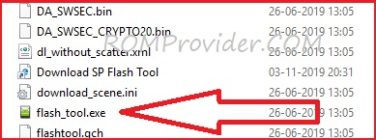
- From the flash tool folder Run Flash_tool.exe
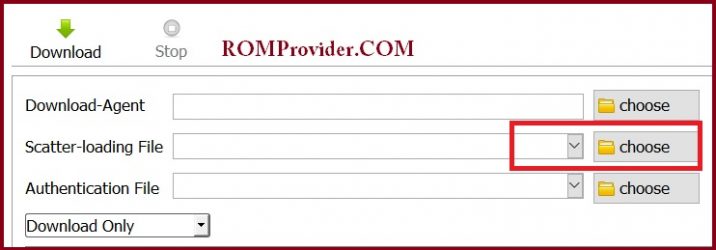
- Go to Download tab Click Scatter and Load Scatter File from ROM Folder
- Select Download only. Click Download & Connect Your switched off Phone.
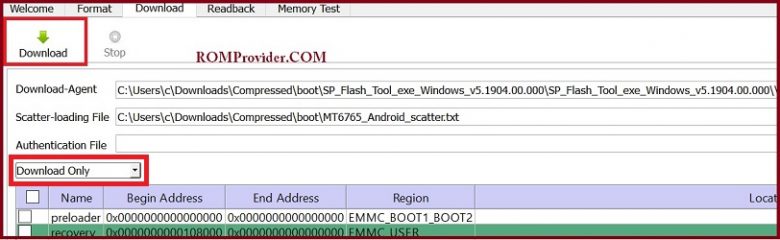
- You can see Flashing Process On Screen. after Complete unplug & Switch it On
Read also:
- How to Repair Device Network ID (Baseband) Number
- Google Camera 6.1 Working HDR Plus Portrait Mod Slow Motion
have any issue, Let me know via comment