
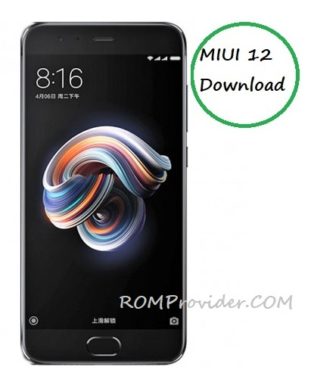
MIUI 12 for Xiaomi Redmi Note 5 Pro:
Official MIUI 12 Beta Now available for The Redmi Note 5 Pro and You can Download it From below. as i say in the Name this is a beta build that means You can face some bug Like System UI crashes. if you don’t have Proper Knowledge about Flashing & Repairing Please don’t try it.
Note:
- Make a backup before Process
- This is a beta Build and it has some bug
- Charge the device to prevent accidental shut down
Downloads:
- MIUI 12 Android 9 for Redmi Note 5 Pro: Download
Full Changelog:
System animations:
- New Dynamic window technology takes switching screen orientation to a new level
- All-new physically-based animation engine with advanced architecture will refresh your device’s look
Visual:
- Brand new visual design works for all types of content and languages
- Magazine-level layouts bring important things into the spotlight and make the content structure clear
AI Call Assistant:
- New Mi AI can answer your calls now!
- New Customized greetings are also supported for outgoing calls.
- You can record a customized greeting that will be played to the other person during AI calls.
Xiaomi Health:
- New All-new Xiaomi Health gives you more options and makes your health stats more accurate.
- New Xiaomi Health can remind you to stand up and move when it detects that you’ve been sitting down for too long.
Control center:
- New: Animated icons are a joy to look at
- New Swipe down from the upper right corner of your screen to open Control center
Accessibility:
- New Mi Ditto combines dictation and speech output, making mobile devices more convenient for people who have difficulties using conventionally designed smartphones
Messaging:
- New: Promotional messages are grouped according to their content now
Status bar, Notification shade:
- Full New Designe
Weather:
- New New animations bring the weather from outside directly to your screen
Settings:
- New Security introduces new comprehensive privacy protection mechanisms
- New: Lite mode simplifies your device and brings essential features up front.
File Manager:
- New Use the floating shortcut to filter and sort items, as well as switch view.
Notes:
- You can create folders with Notes now
- New dynamic backgrounds look gorgeous
Security:
- New animations feel natural and refreshing
- Keep your home safe with smart home device alerts
- Binging your favorite shows will be more convenient with our new video toolbox
Mi Cloud:
- New Shared family storage plan is available now
Privacy protection:
- Restrict access to telephony to third party apps
- New: Visit privacy.miui.com to learn How MIUI Protects Your privacy.
- New: Return blank messages to the apps that require personal information
- New: Get comprehensive stats on how apps use permissions in app behavior history
- New Reset your device ID and control how it’s used based on virtual ID technology
- New: Use secure sharing to control what additional data is sent along with shared items.
How to Install MIUI 12 On Redmi Note 5 Pro:
- Download Firmware update Package
- Go to about Phone/update and Click top 3dot
- Select update Package, Navigate Downloaded File
- Wait until Install Complete, Your phone automatically Reboot Done.