
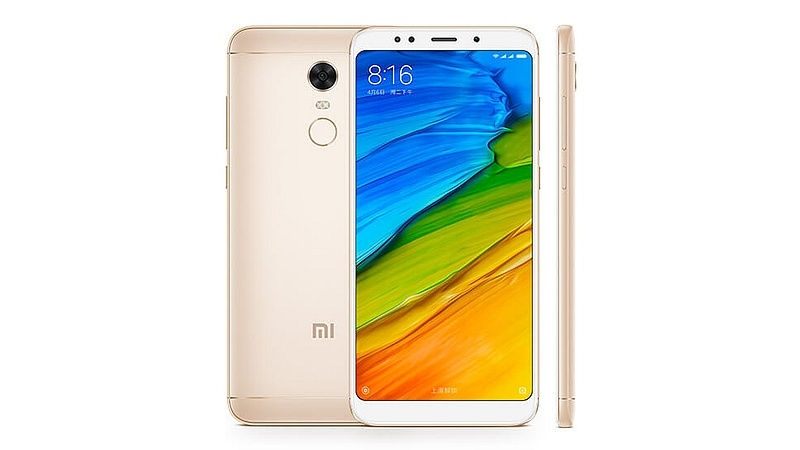
Google Camera 7.2.014 mod For Redmi Note 5:
Download Working Google Camera 7.2.014 Mod for Redmi Note 5. Xiaomi Redmi Note 5 has 12MP Rear Cameras With 5MP Front Shooter Which Can take Good Images but Google Camera has it’s own advantage’s Like advance HDR+ and RAW Images, also it allow 60 FPS video Recording.
The Xiaomi Redmi Note 5 Run on android 8.1 & it is Powered by QCOM SD 625 Processor. The Device Come with 4GB of RAM and 64GB of Internal Storage Can be Expandable Via SD Card. it is a Dual SIM Smartphone Support Nano SIM card’s, Connectivity Featured Include 3G 4G GPS WIFI hotspot & Bluetooth.
Features:
- Portrait Mod
- Slow Motion
- Video 1080P
- Video 4K
- HDR Plus
- all other Basic Features
Requirements-
Downloads Latest Version-
- GCam_7.2.014.APK
- Require Android 10 based ROM
How to Install Google Camera 7.2.014 mod on Xiaomi Redmi Note 5-
1. Download Google Camera apk From above.
2. Enable unknown apps Installation.
3. Install Downloaded File as a Normal apk
4. Done.
Enable Camera2api by adding the below code to build.prop
Persist.vender.camera.HAL3.enable=1
How to Import Settings:
- Download & Move Config File to Storage/gcam/Configs Folder
- Open Google camera Double click near Shooter area from the Popup Select Config File
- Restart Gcam Done
Check Related articles-
- Best Custom ROM For Redmi Note 5
- Reset & Restore Factory Data Reset on Galaxy M20
- Galaxy 10 Combination Firmware Flash File
if you have any question related to this topic you can comment below…