
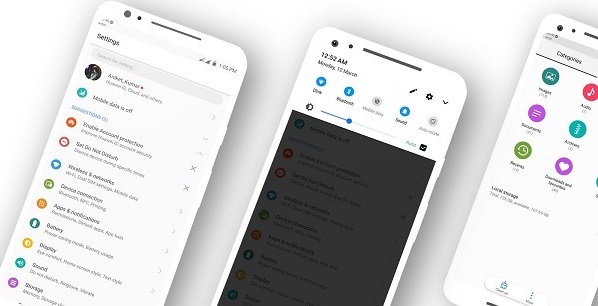
Android P Developer Version Booted on Motorola Moto Z:
a unofficial build of android P Developer Preview Now available for the Motorola Moto Z Which is taken From google Pixel XL, the ROM is modded by XDA Recognized Developer erfanoabdi if you want to test android P on your phone then Follow below Guide to update Motorola Moto Z to latest android 9.0 OS.
Note-
1. This Guide is work on Listed Devices only. So Please Don’t try it on any other Phone.
2. Flashing The ROM will Erase all Your Data. So create a backup of your Personal data before Flashing, [if possible]
3. Please Do carefully, We are Not Responsible for any damage, bootloop, or dead SD card’s.
4. Ensure that your Device at-least 50% charge During Flashing Process,to Stop the Accidentally Switch off.
5. Follow all steps correctly otherwise it cause bootloop.
Working :
- RIL
- Camera both with flash
- WIFI
- BT
- Audio
- NFC
- GPS
Not Working :
- Secondary Sim in dual sim devices
- Flashlight toggle
- Encryption
Download Android P ROM for Moto Z
How to Install Android P Developer Preview on Moto Z-
- First, download and install a custom recovery. If you already had a custom recovery installed on your device then skip this step.
- Download Andriod P ROM and Gapps from above and save it on your device.
- Now Boot your device into Recovery mode.
- Now in TWRP, create a Nandroid backup (Recommended) of your device for safer side, if anything goes wrong.
- Now do a Factory Reset by Goto Wipe>Advanced Wipe>Select Wipe cache, Dalvik cache, System, and data and swipe to confirm it.
- Now
- Flash the system.img and boot.img (using “Install Image” in TWRP)
- Flash the Pboot_temp.zip
- Now wipe cache & Dalvik cache again and Reboot your device.
- Done!