

Many Oppo A6s 5G units ship with Chinese firmware, which can feel limiting for users outside China. Google services may not work properly, some apps are restricted by region, and the interface often includes preinstalled apps meant only for the Chinese market.
Switching the Oppo A6s 5G to the Global ROM usually clears up most of the small issues people run into with the Chinese software. After the change, Google Play works normally and apps behave the way they’re supposed to. Notifications also tend to be more reliable, which is something many users notice right away.
The phone also feels a bit cleaner afterwards. Some of the apps that come preinstalled on the Chinese version simply aren’t there anymore, so the interface looks less crowded. It’s a small difference, but it makes everyday use feel a lot more familiar.
Requirement’s
- Platform tools
- Global firmware for plt120
- Contact Me for professional convert/unlock service.
- Unlocked bootloader (use any mtk supported tool)
How To Flash Global Firmware On Oppo A6s 5G PLT120
- Download Global rom payload bin for your Oppo A6s 5G PLT120
- Connect the device in adb mod & restart it to fastbootd mod, You can do it by sending below cmd with platform tools
adb reboot fastboot
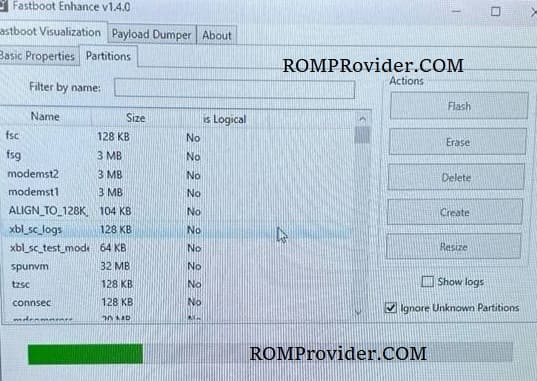
- Open fastboot enhance tool
- Click Flash payload.bin
- Browse and choose the downloaded payload file
- Wait until the success
- Once done, format data & restart
Note:
- If any network error after convert reflash install china static_nvbk/md1 from similar Stock firmware
- If the bootloader is locked or restricted, try third party tools that support your device variant