
Realme P4 Power (RMX5107) Firmware Flash File, Tools & Solutions
Download Realme P4 Power official firmware, Stock ROMs, and recovery files for free
Realme P4 Power runs on the Android OS and is powered by a Dimensity 7400 Ultra processor. The device comes with a 6.8-inch display, 12 GB of RAM, and a 10001 mAh battery. The firmware files provided below will help you unbrick your device, fix 'stuck at logo' issues, and recover your Realme P4 Power software.
Firmware & Solutions for RMX5107
- Version: RMX5107export_11_16.0.2.406EX01_2026011414500173
- Updated: May 25, 2026 13:03:50
- Type: Stock
Firmware & Solutions for RMX5107
- Version: RMX5107export_11_16.0.2.409(EX01)_2026013018360249
- Updated: March 15, 2026 10:35:17
- Type: Stock
Installation Guide for Realme P4 Power Stock Firmware
With Official Service Account: Most of new devices are protected and can be flash only with official edl auth..- Download and extract the firmware ZIP file to your computer.
- Install Oplus USB drivers on your PC.
- Download and extract the Oplus Download Tool.
- Launch the tool and log in with a service account (if required).
- Click Import and select the extracted firmware folder.
- Click the START button in the tool.
- Power off the phone, then press and hold both Volume Up + Down buttons.
- While holding the buttons, connect your device to the PC via USB.
- Wait for the tool to detect and flash your phone automatically.
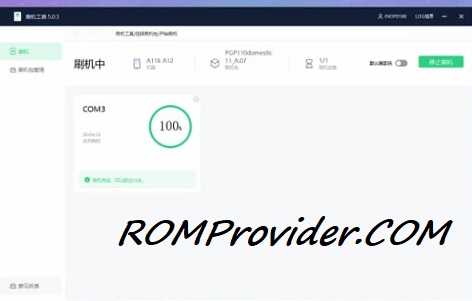
- Flash using fastboot enhance tool
- Flash using any tool that support your device
⚠️ Disclaimer & Safety Guidelines
- Proceed at your own risk – Wrong flashing may brick your device.
- Always make a full backup before process.
- Make sure your device is charged.
Note: All resources on this page are sourced from public domains and community efforts. For removal requests or issues, contact us directly.