
Realme NARZO 70 Pro RMX3868 Firmware Flash File Stock ROM
Download Realme NARZO 70 Pro official firmware, Stock ROMs, and recovery files for free
The Realme NARZO 70 Pro Run on the official Android system and is driven by an optimized processor architecture. The factory uncompressed files compiled in our repository database below enable technicians to cleanly overwrite broken partition files, fix persistent system bugs, and unbrick devices.
Version: RMX3868_16.0.5.700(EX01)
- Updated: May 29, 2026 11:53:10
- Region: in
- Size: 7135.82 MB
- MD5 Hash: 4b0c1f8855f4e0044b70fe55c61ff7ef
- Type: OTA
Version: RMX3868export_11_14.0.0.516EX0...
- Updated: November 28, 2025 10:49:10
- Type: Stock
Version: RMX3868export_11_A.08_2024022803530296.zip
- Updated: September 17, 2025 12:58:09
- Type: Stock
Installation Guide for Realme NARZO 70 Pro Stock Firmware
With Official Service Account: Most of new devices are protected and can be flash only with official edl auth..- Download and extract the firmware ZIP file to your computer.
- Install Oplus USB drivers on your PC.
- Download and extract the Oplus Download Tool.
- Launch the tool and log in with a service account (if required).
- Click Import and select the extracted firmware folder.
- Click the START button in the tool.
- Power off the phone, then press and hold both Volume Up + Down buttons.
- While holding the buttons, connect your device to the PC via USB.
- Wait for the tool to detect and flash your phone automatically.
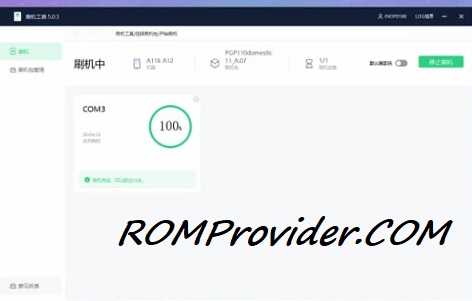
- Flash using fastboot enhance tool
- Flash using any tool that support your device
⚠️ Disclaimer & Safety Guidelines
- Proceed at your own risk – Wrong flashing may brick your device.
- Always make a full backup before process.
- Make sure your device is charged.
Note: All resources on this page are sourced from public domains and community efforts. For removal requests or issues, contact us directly.