
OPPO F31 Pro+ CPH2757 Firmware Flash File Stock ROM
Download OPPO F31 Pro+ official firmware, Stock ROMs, and recovery files for free
The OPPO F31 Pro+ is a high-end flagship powered by the high-tier Snapdragon 7 Gen 3 chipset platform. Outfitted with an expansive 6.8-inch display and 12 GB of fast RAM, it processes heavy development modifications smoothly. Flashing this official factory stock ROM allows you to restore your device to its original condition, overwrite 'system destroy' constraints, clear dm-verity verification hangs, and reverse deep soft-bricks safely.
Version: CPH2757_16.0.5.700(EX01)
- Updated: May 29, 2026 11:53:09
- Region: in
- Size: 7620.39 MB
- MD5 Hash: 5dd0434b2dac041547dbfe25e7548be4
- Type: OTA
Version: CPH2757export_11_15.0.2.504EX01_2025081816320201.zip
- Updated: October 3, 2025 06:04:26
- Type: Stock
Version: CPH2757export_11_15.0.2.504EX01_2025081816320201
- Updated: September 26, 2025 07:53:31
- Type: Stock
Installation Guide for OPPO F31 Pro+ Stock Firmware
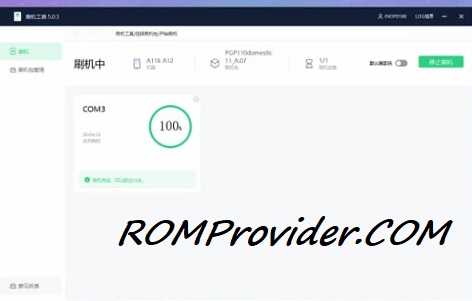
With Official Service Account: Most of new devices are protected and can be flash only with official edl auth..- Download and extract the firmware ZIP file to your computer.
- Install Oplus USB drivers on your PC.
- Download and extract the Oplus Download Tool.
- Launch the tool and log in with a service account (if required).
- Click Import and select the extracted firmware folder.
- Click the START button in the tool.
- Power off the phone, then press and hold both Volume Up + Down buttons.
- While holding the buttons, connect your device to the PC via USB.
- Wait for the tool to detect and flash your phone automatically.
Bootloader Unlocked Devices:
- Flash using fastboot enhance tool
- Flash using any tool that support your device
⚠️ Disclaimer & Safety Guidelines
- Proceed at your own risk – Wrong flashing may brick your device.
- Always make a full backup before process.
- Make sure your device is charged.
Note: All resources on this page are sourced from public domains and community efforts. For removal requests or issues, contact us directly.